

When building a Shopify app, it’s crucial to consider all the necessary expenses beforehand to avoid surprises with the total budget. The final Shopify app development cost depends on many factors. This article helps you create a list of expenses and estimate the budget for your private or public Shopify app.
How much does it cost to develop a Shopify app: The basics
Let’s first clarify the basic steps of Shopify app development to understand what should be included in the list of expenses.
- Research and planning: You need to determine which problem your app will solve and what your competitive advantage is.
- Design: You need to create a clear app specification and designs that align your purposes.
- Development and testing: Your Shopify development team ensures the technical part of your project. Typically, the Shopify app building cost is time-based.
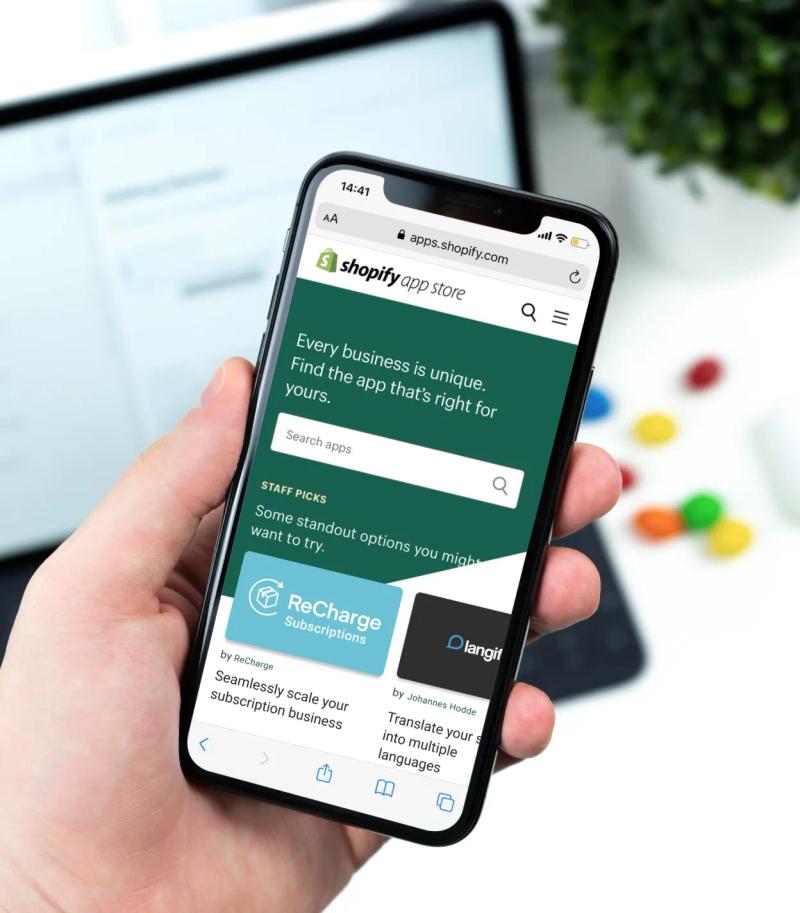
- Launch: If you want to make your app public, you need to get it listed in the Shopify App Store.
- Marketing: Even if your app is the best in its niche, it won’t get popular without promotion and customer support.
- Maintenance: You have to always keep your app updated and fix any issues once they arise to ensure its smooth operation.
Given this information, we can calculate the building cost for Shopify apps by using the following formula.
Shopify app development cost = Development hours * Hours Rate + Additional Expenses (such as hosting, SSL certificates, and more)
For example, if you need a simple app that requires 100 hours for development with an hourly rate of $50, the cost to build a Shopify app would be $5,000 without additional expenses.

Estimate your Shopify app cost right now
Shopify app cost factors
The hours needed for development and the final cost of building a Shopify app depend on the following factors.
- Shopify app features and functionality
- Shopify app design complexity
- Development and testing
- Third-party integrations and APIs
- SSL and encryption
- App hosting
- Timeframe
- Shopify App Store requirements
- Marketing strategy
- Maintenance scope
Let’s review them in more detail.
Shopify app features and functionality
A simple app with a few basic features requires less effort than an app with greater complexity and scope. However, if you need a custom backend system and advanced features for personalized user experience, the project will take significantly more time to complete, obviously increasing your app budget.
Design and user experience
Perfect app design is tailored to your business logic and, at the same time, provides a smooth user experience. Your app should also be in line with the latest app market trends, which requires design expertise. Obviously, designers with proven experience in Shopify app development charge more than those unfamiliar with Shopify specifics. Your budget also depends on design complexity: the more custom elements and interactivity are included, the greater amount of resources it requires.
Also, if your app needs to be responsive and work seamlessly across various devices and screen sizes, this will also add to the app cost since it involves extra design and development effort to maintain usability and aesthetics on different platforms.
Note that if you want to publish your app in the App Store, you must follow Shopify’s app design guidelines. Among the core requirements are adaptiveness, predictable user experience that aligns with the rest of the Shopify admin, and accessibility.
Development team
The app development process involves multiple steps, from analyzing the project scope and its requirements to implementing designs and backend logic. Testing and quality assurance are the final steps before requesting the Shopify team to publish your app in the Shopify App Store. Each step requires deep expertise in Shopify app development and involvement in your business goals and objectives.
How to choose developers to accomplish these steps?
When looking for a development team for your app, ensure your candidates are experienced in using GraphQL, Shopify APIs, Node.js, React.js, App Bridge, Shopify app extensions development, Webhooks, and other Shopify development tools.
You can choose between hiring freelancers, building an in-house team, or partnering with an agency. Freelance developers may charge less, but they may not offer the same level of support and reliability as an agency. Agencies provide better-organized and dedicated development teams with different fields of expertise. Hiring an in-house professional developer can be time-consuming and may not cover all the skills needed for a comprehensive project.
Hire a proven development team
Let’s sum up. The team you choose to develop your Shopify app plays a big role in determining the overall cost. Freelancers might be more budget-friendly at first, but they can come with risks like potential delays or the need for extra help down the road, which could drive up the costs. Hiring an in-house developer seems like a good middle ground, but don't forget about the time and money involved in recruitment, onboarding, and possibly needing to bring in other experts if the project demands it.
Agencies usually come with a higher price tag, but you get a complete package – an experienced team that can handle every aspect of the project, often leading to smoother progress and fewer surprises. While it might seem like a bigger investment upfront, choosing the right team can save you money and headaches in the long run. It's about finding the right balance between your budget, the complexity of your app, and how much support you'll need after launch.
Third-party integrations and APIs
Your Shopify app might require integration with third-party services like payment gateways, social media platforms, CRMs, and other systems relevant to your app functionality. The complexity of integration using third-party APIs will influence development hours and your final cost. If existing APIs are not sufficient, developers need to look for custom integrations that require more time for implementation.
Additionally, since custom integrations often come with specific requirements, you’ll need to allocate extra time and budget for testing, bug fixes, and ongoing support. Another factor to keep in mind is that many third-party services charge subscription fees or have usage-based costs, which could include payments based on the number of requests made or the amount of data processed.
SSL and encryption
Proper encryption is a must for all Shopify apps. To ensure encryption, you need an SSL certificate that costs from $0 to $999 per year, depending on the validation level. Public apps may require additional security measures to meet Shopify security standards.
App hosting
It would be best if you had a place to host your app so it can run during development. Some options include Amazon Web Services (AWS) and DigitalOcean. The final hosting price depends on your database's scope and usage.
Timeframe
Projects with tight deadlines often come with a premium price. Your budget will also increase in case of change requests since it will extend the time needed for development. So, if you’re not in a rush and tend to stick to the approved scope of work and timelines, you might save some money. For long-term projects, you can also break the project into phases and manage expenses for each phase separately.
Shopify App Store requirements
Once your app is ready, you can try to list it in the Shopify App Store. Your app should follow Shopify’s requirements that include the list of prohibited configurations, functionality and quality requirements for core features, and more. For example, you will find such requirements as not collecting Shopify user credentials and reducing Lighthouse performance scores by more than 10%. You also need to align with Shopify’s app design guidelines to meet quality directives.
Note that if you sell apps in the Shopify App Store, you’re required to pay a 20% app revenue share to Shopify. Alternatively, you can register for a reduced revenue share plan with a 15% revenue share. When you register for this plan, you must pay a one-time fee of $19 per Partner account. Shopify Partners pay 0% revenue share on their first one million dollars in gross app revenues.
Leverage Shopify Partner’s services
Marketing strategy
Your marketing budget for promoting a public Shopify app depends on the number of channels you want to utilize and the specialists you want to involve. Among the most popular channels used for app promotion are blogs like Medium, industry-related forums like Dev Community and Shopify community. Developing a marketing strategy to promote the app can include costs for advertising, SEO, content creation, and more. You also can leverage ads on the Shopify App Store to show your app at the top of the search results.
Maintenance scope
To ensure sustained success of your Shopify app after launch, you need ongoing maintenance. It includes regular performance audits, compliance with Shopify updates, bug tracking and fixes, security audits and updates, backups and disaster recovery, scaling for growth, and more. How much does it cost? Again, it depends on your app’s functionality. For example, 15 hours of Shopify maintenance services by DigitalSuits will cost around $1,200 per month.
Get maintenance services for your project
How much does it cost to build a Shopify app: ballpark estimate
With the list of points that influence the Shopify app development cost, let’s provide some numbers, keeping in mind that they are rough estimates.
- A simple app that covers basic features and minimal design customization would cost you from $3,000 to $5,000.
- A moderate app with additional features, enhanced design customization, and some integrations costs roughly from $5,000 to $50,000.
- A complex app with advanced designs, robust features and integrations, and high scalability costs from $50,000
Send a request for your Shopify app estimation
Don’t forget about ongoing costs that include the following:
- App security: Depending on the level of validation, purchasing an SSL certificate could take from $0 to $1,000 per year. Additional security measures would add to this budget.
- App hosting: There are plenty of hosting options you may consider for your app project. Pricing starts from $0 for free tiers to more than $2,000 per month, depending on storage capacity.
- Marketing activities: To stand out in the Shopify App Store and win the competition among similar apps, you need a budget for app promotion, such as paid ads and content creation. Depending on your strategy, this could take you at least $1,000-$5,000 per month.
- Customer support: Responsive customer support is a must to provide a highly-quality Shopify app for a broad audience. Depending on your user base, these costs could range from a few hundred to a few thousand dollars per month.
- Maintenance and updates: To keep your app running smoothly you need a maintenance team to monitor technical issues and ensure compatibility with the latest updates. These services could cost anywhere from $500 to $2,000, depending on your app’s functionality.
Is Shopify app development profitable?
Absolutely — if you do it right. A successful Shopify app can generate a steady stream of revenue, especially if you address a real need within the Shopify ecosystem. Plus, once the app is built, the ongoing costs are relatively low compared to the potential returns. And with trends shaping the future of app development, there are more opportunities than ever to create high-demand solutions.
To wrap up
So, how much does it cost to build a Shopify app? To sum up the information above and proceed with your list of expenses, answer the following questions:
- Is your app supposed to be private or public?
- How many features will your app include?
- What design references and requirements do you want to stick to?
- What are Shopify app development requirements?
- What kind of developers are you planning to hire: freelance, in-house, or an agency?
- How many third-party integrations do you need for your app?
- What kind of hosting services and SSL certificates do you require?
- What is the expected timeframe for your project?
- What are the requirements and fees for listing your app in the Shopify App Store?
- How many channels and specialists do you need for app promotion?
- Do you need post-launch maintenance services for your app?
Once you have answers to these questions, you can estimate your app budget and start developing it without further hesitation. To develop your app from scratch or from any current point, contact the DigitalSuits Shopify app development team. We have all the tools and deep expertise in developing apps of any complexity. You can review some of our successful Shopify app development projects here. We will be happy to assist you with your project, provide a Shopify app cost estimate, and offer guidance for achieving your business goals and financial success.
Written by
 Anastasiia MoskvichovaContent Marketing Specialist
Anastasiia is an enthusiastic content writer who diligently researches and curates valuable information to craft engaging content tailored for readers with a keen interest in marketing, sales, and technology.
Was this helpful?
0No comments yet