Low-code no-code development services

Low-Code/No-Code Development Services

DigitalSuits' low-code and no-code development services let you build and roll out business apps faster to cut time-to-market without the overhead of traditional development.

Let's build your next project together

This site is protected by reCAPTCHA and the Google Privacy Policy and Terms of Service apply. By submitting, I agree to DigitalSuits Privacy Notice.

Thank you!


Follow us

Low-code/no-code development services for faster delivery and smarter operations

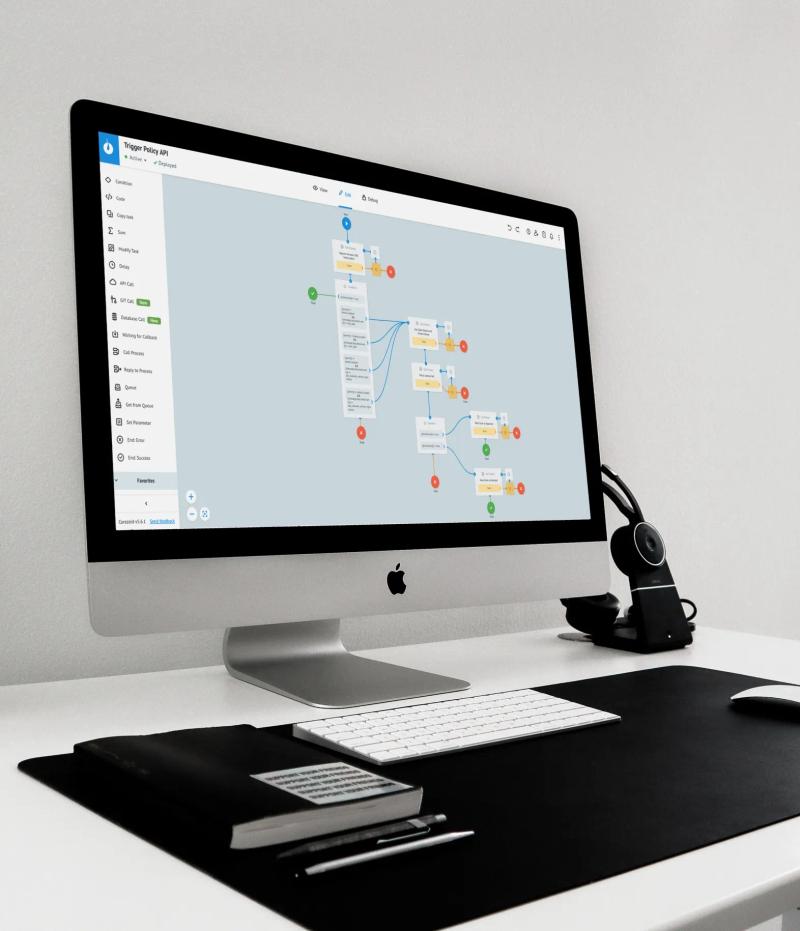
Low-code and no-code development lets you create apps using pre-built components – a practical alternative to traditional development – when you need the solution live before the business moves on. This approach is commonly used for workflow automation, back-office dashboards, internal business tools, customer portals, and integrations that connect your CRM, ERP, and reporting. Low-code/no-code development ensures you get them within potentially shorter timelines than it would take for a custom build due to minimal hand-coding.

At DigitalSuits, we design and build low-code solutions that help teams move faster without losing control over architecture, integrations, security, or user experience. We work with businesses that want practical software, not bloated projects.

Low-code no-code development services for faster delivery and smarter operations

What you get with DigitalSuits – low-code/no-code development company

Benefits you get

  • Faster delivery of internal and customer-facing applications

  • Lower pressure on in-house engineering teams

  • Better process automation across disconnected systems

  • Easier iteration as workflows change

  • Clear governance, so speed does not turn into chaos

  • Maintained security and architectural integrity, even at speed

Solutions we deliver

  • Internal business tools

  • Approval and workflow applications

  • Customer and partner portals

  • Dashboards and reporting apps

  • Mobile-friendly operational apps

  • Integration-driven process automation

What is low-code and no-code development?

Low-code and no-code development are ways to build software with much less traditional hand-written programming.

They both rely on visual tools (like drag-and-drop interfaces, workflow builders, prebuilt templates, and configuration panels) instead of writing everything in languages like Python, JavaScript, or Java.

  • Low-code development still leaves space for developers to step in. They can fine-tune the product, connect other systems, and handle parts that need more than the platform offers out of the box.

  • No-code development is usually chosen for less complex tasks. It suits teams that want to launch a small internal solution or automate a simple process without involving full-scale development.

What is low-code and no-code development

Low-code development services DigitalSuits offers

Low-code consulting and discovery


Let us review your current processes, pain points, systems, and goals to see where low-code makes sense and where it does not.

Prototype and app development


Build prototypes, portals, dashboards, internal tools, and workflow apps with a faster route to launch.

Process automation


Automate repetitive tasks such as approvals, routing, notifications, syncing, and multistep internal processes.

Workflow modernization


Replace spreadsheet-based work, email-heavy coordination, and outdated forms with more consistent digital flows.

Business system integration


Connect low-code solutions with CRM, ERP, ecommerce, support, payment, and other business platforms.

Governance and setup


Establish the right structure in place around access, ownership, updates, and platform usage.

Customization and extension


Go beyond built-in components to tailor the experience and add the logic your specific workflows require.

Support and optimization


Keep improving the solution after launch so it continues to fit the way your business works.

Benefits of low-code development for your business

Faster results

You do not need to go through a long build cycle just to fix an obvious process problem.

Less manual development work

Many standard functions can be handled through built-in tools instead of being coded from scratch.

Better use of developer time

Your engineers can spend more time on core systems instead of routine internal requests.

Easier to adjust later

If the process changes, the solution is usually easier to update without rebuilding the whole thing.

Earlier feedback from business teams

People can review the solution sooner and point out what needs to change before the work goes too far.

Better visibility into processes

It becomes easier to track tasks, approvals, and progress across teams.

Fewer gaps between systems

Low-code often works better than a mix of spreadsheets, disconnected apps, and manual fixes.

Lower barrier to digital transformation

It helps companies improve everyday workflows without starting a major rebuild.

When is low-code development the right choice?

card image

You may need low-code if

  • Your current tools (spreadsheets, forms, or off-the-shelf software) no longer cover what you actually need

  • Internal requests keep piling up in your engineering backlog, and you need to move faster than a custom build allows

  • Different systems hold the right data, but do not work well together

  • Teams need process automation, not another manual workaround

  • You want to test and validate a solution before investing in a larger custom platform

card image

Low-code may not be the right fit if

  • You are building a highly differentiated core product

  • You need deep architectural freedom and full code ownership

  • Your use case depends on highly specialized backend logic

  • Low-code platform limitations would create risk later

  • Vendor dependency is a serious concern for your business model

  • Your performance or scale requirements exceed what most platforms support

Off-the-shelf vs. Low-code/No-code app development vs. Bespoke custom development

Off-the-shelf

A good option when you need something ready and your process does not require much customization.

Pros

  • Fast to start with

  • Less work at the beginning

  • Support usually comes from the vendor

Cons

  • Limited room for changes

  • The software may shape the way your team works

  • Costs or feature limits may become an issue later

Off-the-shelf solutions

Low-code/no-code

A reasonable choice when you need more flexibility than standard software can offer, but do not want to go into full custom development.

Pros

  • Faster than building from scratch

  • More adaptable than packaged tools

  • Allows for better collaboration with non-technical teams

  • Works well when integrations are part of the scope

Cons

  • Still comes with platform limits

  • Full freedom is not there

  • Some use cases will still need custom development

Low-code no-code solutions

Bespoke

Best for cases where the solution is highly specific or plays a major role in the business.

Pros

  • More control over how the system is built

  • Built around your exact requirements

  • Better for unique systems and products

Cons

  • Delivery usually takes longer

  • Initial costs are higher

  • Ongoing support and maintenance stay on your side

Bespoke solutions

Our low-code app development tech stack

Microsoft Power Platform


For companies that already rely on Microsoft tools. Good for internal apps, simple automations, and reporting tied to Microsoft data and services.

Mendix


Fits business applications that need more structure than a basic no-code tool can give. Often used when the app has to support real workflows and grow over time.

Appian


Usually picked for process-heavy work. Useful when a company needs to manage approvals, requests, cases, and similar operations in one system.

OutSystems


A platform for building business apps faster than with fully custom development. Often chosen for projects that still need a fairly solid technical foundation.

Airtable-based workflows


Help teams organize information, track work, and manage simple processes. Common for internal operations, content flows, and shared records.

Retool


Mostly used for internal tools. Good for admin panels, dashboards, and operational screens built on top of existing data sources.

Bubble for selected use cases


Can work for web products, MVPs, and smaller custom tools. Best when speed is more important than deep technical complexity.

Zapier and Make for automation layers


Move data and actions between other systems. They are often used to automate repetitive steps and connect separate apps.

Custom API and middleware integrations


Used when systems need to exchange data more flexibly or reliably than standard connectors allow, helping separate platforms work together more smoothly.

Get a robust low-code application development solution for your industry

  • Retail and ecommerce. Build internal tools for catalog workflows, order operations, returns handling, inventory visibility, merchant dashboards, and partner management.

  • Financial services. Create approval flows, reporting systems, onboarding tools, internal portals, and process automation for repetitive operations.

  • Healthcare. Digitize forms, workflows, case routing, and operational processes with clear access control and structured data handling.

  • Logistics and supply chain. Develop apps for shipment tracking, warehouse workflows, routing visibility, and exception management.

  • Manufacturing. Support production planning, quality control, maintenance workflows, and internal reporting.

  • Telecom and service businesses. Create self-service portals, support workflows, request management systems, and operational dashboards.

  • HR and internal operations. Build onboarding flows, request portals, approval systems, and employee-facing tools that reduce admin overhead.

Get a robust low-code application development solution for your industry

The process behind DigitalSuits' low-code application development

  • Discovery and use-case assessment. We study your workflows, systems, bottlenecks, users, and business goals to identify where low-code makes sense.

  • Solution mapping. Our low-code/no-code development company defines the app scope, integrations, user roles, logic, and platform fit.

  • Prototype and validation. We create a working prototype or proof of concept so you can validate the flow early.

  • Iterative development. We build in short cycles, review progress often, and adjust as requirements change.

  • Launch and support. We deploy the solution, document it, train your team, and continue with improvements where needed.

The process behind DigitalSuits low-code application development

What other services does the DigitalSuits team offer?

Custom software development

Get tailored custom software development solutions designed to meet your specific business needs, improve efficiency, and support long-term growth.

Digital product development

Ensure end-to-end digital product development – from idea validation and design to development and launch – focused on delivering user value.

SaaS development

Design and build scalable, secure SaaS platforms with robust architecture and seamless user experiences with SaaS development services.

Mobile app development

Benefit from mobile app development services to build apps that attract more customers, optimize workflows, and boost engagement.

Why partner with DigitalSuits – low-code/no-code app development company

  • We look at business workflows first, not just platform features

  • We know when low-code is the right answer and when it is not

  • We combine speed with engineering discipline

  • We can extend low-code solutions with custom development when needed

  • We support both internal tools and customer-facing experiences

  • We focus on practical outcomes, not overengineered delivery

  • We design scalable solutions, so what starts simple can grow with your business

  • We bring cross-domain expertise to build more connected, future-ready solutions

Why partner with DigitalSuits – low-code no-code app development company

Frequently asked questions

Yes, quite often. Big companies use low-code development for many practical things: internal portals, request systems, approval flows, reporting tools, dashboards, and service workflows. In other words, the kinds of applications that support daily operations but do not always justify a full custom build.

That does not mean it fits every enterprise case. If the system is central to the business, depends on unusual logic, or needs a level of freedom that a platform cannot really offer, low-code may stop being the right option. So the answer depends less on company size and more on the type of task.

Contact DigitalSuits if you hesitate whether low-code/no-code development is a valid option in your situation.

Yes, and in many projects that is the whole point.

A low-code app is often not valuable on its own. What makes it useful is the way it works with the systems a company already has. That might be ERP, CRM, a support platform, an internal database, an ecommerce backend, or some external service. Sometimes the app itself is fairly simple, but it saves a lot of time because it pulls those disconnected steps into one place.

Some integrations are straightforward. Others take on the extra work of low-code app developers. It depends on the platform and on the systems involved.

Yes. We do not start with the platform, but with the actual situation. We evaluate what needs to be built, who will use the feature, what tools are already in place, and how much the solution may need to change later. That usually gives a clearer answer than comparing product names first. Need advice from professionals to make the right choice? Contact us for a consultation.


Yes. Our low-code/no-code software development company actually does it quite often. A low-code platform may cover most of the solution, but then one part of the project needs custom logic, a more complex integration, or functionality that does not sit well inside the platform. In that case, it is not necessary to throw the whole idea away. A mixed approach is often the more sensible one: use low-code where it helps move faster, and build custom parts where the platform becomes too restrictive. To bring this approach to your business, contact our team.


There is no single timeline that fits every case. A small internal tool and a broader operational system may both fall under low-code, but they are still very different in scale. Still, rough ranges usually look like this:

  • Simple project – 2 to 4 weeks. For example, it could be a small internal app, a form with a basic approval step, or a compact dashboard with limited logic.

  • Moderate project – 1 to 3 months. This might be a workflow app with several user roles, reporting, and one or two system integrations.

  • Complex project – 3 to 6+ months. Usually, this means a larger business solution with several workflows, more detailed permissions, multiple integrations, and some custom interface or logic work.

To estimate timelines for your specific project, contact the DigitalSuits team.

The budget depends on the same thing the timeline depends on: scope. A basic internal tool is one kind of project. A larger operational system with custom extensions and several integrations is another. Platform choice also matters, as do interface requirements, support needs, and the amount of work that has to happen outside the platform itself.

As a general guide, the cost often falls into ranges like these:

  • Simple project – $10,000 to $25,000. Usually, a small internal app, a basic automation flow, or a straightforward business tool.

  • Moderate project – $25,000 to $60,000. Often, a portal, workflow app, or dashboard with more roles, more logic, and a few connected systems.

  • Complex project – $60,000 to $150,000+. More typical for larger operational systems with several modules, deeper integrations, and custom additions around the platform.

It is also worth looking beyond the initial build. Platform fees, support, updates, and later changes can affect the total cost over time. Contact our team to estimate your project's budget.