


Ask ten ecommerce professionals about the headless Shopify meaning, and you'll get almost the same answers – "it’s faster." That fuzziness is exactly why headless Shopify trips up so many teams the moment they start evaluating it. The word sounds like you're ripping Shopify out and starting from scratch, well, you're not.
In this article, we'll break down what headless Shopify actually is, and how the four pieces of the architecture fit together. And the part most guides gloss over: when going headless is the right call, and when it’s an expensive way to fix a problem you don’t have.
What is headless Shopify commerce?
Shopify headless is an ecommerce architecture that divides your store's backend from the frontend. At its core, Shopify headless commerce means splitting your store into two parts that used to be glued together:
- The storefront customers see
- The commerce engine that runs catalog, cart, and orders behind it
In a standard Shopify store, those two halves are tightly bound. Your theme's design and Shopify’s backend communicate through Liquid, and they ship as a single package. Going headless cuts that cord. The frontend becomes its own application, built by your developers, and it pulls product data, prices, and cart state from Shopify through an API instead of through a theme.
The "head" in headless is the presentation layer, the visual front end. Remove it from the body, and the body, your commerce backend, keeps running exactly as before. You’re free to attach a new head built however you like: a React storefront, a mobile app, an in-store kiosk, or all three at once.
You can find more details about how to go headless with Shopify in our dedicated guide – How to Go Headless with Shopify: Starting Fresh or Migrating an Existing Store.
Why "headless" does not mean leaving Shopify
Going for Shopify headless commerce does not mean you have to abandon Shopify, switch platforms, or rebuild your operations from scratch.
The features that make Shopify advantageous stay unchanged when you go headless:
- Your product catalog, inventory, and collections
- Cart logic and the Shopify-hosted checkout
- Payments through Shopify Payments
- Orders, customers, and the admin you already work in
That Shopify checkout point matters more than people expect. Even with a completely customized interface, Shopify's hosted, PCI-compliant infrastructure powers the checkout process. You're swapping the storefront, not the cash register.
This is also why some developers argue that "headless Shopify store" isn't purely headless in the original sense. A storefront built with Shopify Hydrogen development routes through Shopify checkout and remains within the platform’s ecosystem. A more accurate description is frontend-flexible, Shopify-native commerce: you get React-level control over the experience without giving up the backend that handles the messy parts of selling online.
Headless Shopify vs Shopify theme
The cleanest way to understand the difference between headless Shopify and traditional ecommerce is to hold it next to the thing most stores already use – a Shopify theme.
Shopify theme development is the conventional path. You pick or build your design a Shopify theme, then you need to customize your theme through the theme editor and Online Store 2.0 sections, then Shopify renders the pages. It's quick to launch, friendlier for non-developers, and your marketing team can change layouts and content without filing a ticket with engineering.
A headless build trades that convenience for control. Here’s the practical difference:
- A Shopify theme keeps design and backend coupled. Liquid does the templating, the theme editor handles changes, and you're working inside the guardrails Shopify provides. Faster to ship, cheaper to maintain, with limits on how far the design can stretch.
- Headless Shopify decouples the two. Your team writes the frontend in a framework like React, with no theme editor and no Liquid to learn. Near-total design freedom, at the cost of more engineering and more ongoing upkeep.
Neither is "better," the question is whether your design and channel ambitions have actually outgrown what a theme can do, which is exactly what the later sections dig into.
What is a headless Shopify store, and how does the architecture work?
A headless Shopify store setup consists of four layers that pass information to each other. In reality, it looks something like this:
- The shopper interacts with the frontend
- The frontend asks the API for data
- The API pulls it from the commerce backend
- The whole frontend lives on a hosting layer that serves it fast
- Let's break down Shopify's headless architecture piece by piece.
Frontend
This is the layer people actually see and touch, the pages, the imagery, the buttons, the cart that ticks up when something gets added. Replatform to headless, and it stops being a Shopify theme. Instead, it's a separate app, written and maintained by frontend developers on their terms rather than the platform's.
Teams planning to stick with Shopify usually reach for Shopify Hydrogen, its own React framework for storefronts. It runs on React Router these days, and it hands you ready-made building blocks, carts, product pages, and search, so nobody's rebuilding a product grid from scratch. Server-side rendering comes built in, and using it costs nothing.
Prefer a different setup? Next.js, Nuxt, or plain React work fine too. You just wire them up to Shopify the same way.
Commerce backend
The commerce backend is Shopify, doing the job it's genuinely good at. Catalog management, inventory, cart calculations, taxes, the checkout, payment processing, order routing, fraud analysis, and the admin dashboard your operations team lives in: none of that changes when you go headless.
This is the reassuring part of the Shopify headless architecture. The most complex, highest-stakes machinery of an online store stays on battle-tested Shopify infrastructure. You don't rebuild the checkout, you change the way to reach it.
API layer
The API layer is what lets the storefront and Shopify backend communicate. The frontend requests data, Shopify returns it, and the customer sees a fast, custom shopping experience. The storefront asks for something, Shopify sends it back, and the shopper ends up with a page that loads quickly and looks however the brand wants.
Doing most of that work is the Storefront API, a GraphQL interface Shopify built specifically for customer-facing requests. The frontend asks for exactly what it needs: a product, its variants, its price, and gets back that and nothing extra. The behind the counter jobs, like updating stock or pushing orders through, go through a separate Admin API.
And here's why the whole arrangement earns its keep: so long as both sides keep speaking the same language, you can rebuild the storefront without touching the backend, or overhaul the backend without rewriting the storefront.
Hosting layer
A custom frontend has to have its place, and that's the hosting layer.
For Hydrogen storefronts, Shopify offers, its own global hosting platform that deploys your storefront across Shopify’s content delivery network and comes included with Shopify plans rather than as a separate bill.
Before Oxygen existed, headless builds meant wiring up an outside host like Vercel or Netlify, which added cost and setup. Those options still exist and make sense for non-Hydrogen frontends, but for Shopify-native teams, Oxygen removed a chunk of the old infrastructure headache.
Learn how Shopify Hydrogen and Oxygen work together to power a fast, flexible headless storefront.
Advantages of Shopify headless
Going headless can do real things for a store, but be clear-eyed about one point first: most of these wins only show up if you put the engineering work in. None of it is automatic, and you have to keep it in mind, here's what you stand to gain.
Design freedom without the theme's limits
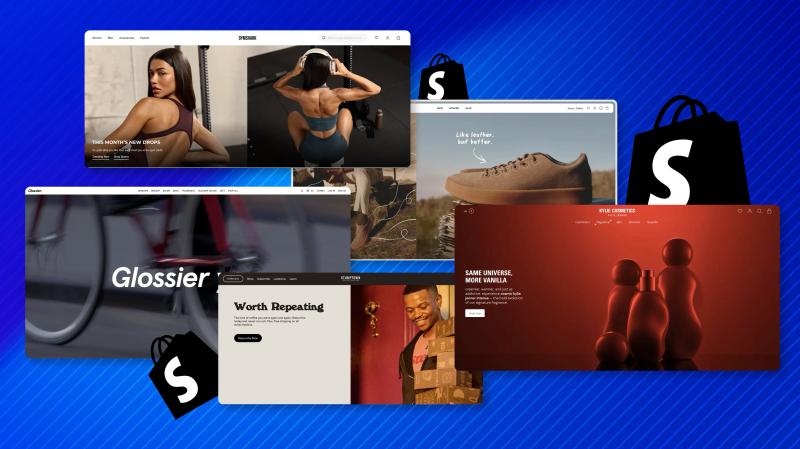
This is the big one, and usually the reason brands switch in the first place. Once you're writing your own frontend, the theme's rules stop applying. Custom product configurators, unusual navigation, heavy animation, layouts built around a story instead of a template, all of it's on the table. Big names mostly went for Shopify headless for this exact reason: their brands needed a storefront that a standard theme couldn't provide.
A higher performance ceiling
A well-built headless Shopify storefront with server-side rendering and edge caching can hit very fast load times. Worth being honest here, a basic Liquid store is often faster by default, with zero tuning. Headless raises the bar, but you only reach it with skilled Shopify Hydrogen developers actively optimizing the build. Speed is earned, it doesn't come automatically.
One backend and many front ends
Because the commerce engine is decoupled, the same Shopify backend can feed a website, a mobile app, and a social storefront at once. For omnichannel brands, that reuse is a structural advantage rather than a marketing slogan.
Best-of-breed flexibility
Headless lets you plug in specialized tools, a dedicated CMS for content, a third-party search engine, a custom personalization layer, and assemble a stack tailored to your needs instead of accepting one vendor's defaults.
Readiness for AI-driven commerce
Shopify’s December 2026 update added Storefront MCP support for Hydrogen stores, opening the door to AI shopping assistants and agent-driven discovery built directly into a storefront. An API-first architecture is naturally better positioned for where ecommerce is heading.
When do you need to go for Shopify headless, and when you don't?
A regular Shopify theme runs product pages, collections, cart, checkout, and discounts without much fuss, and for most merchants, it's enough. Headless is worth the money only when the theme actually stops you from building something you need. Shopify Plus headless commerce is common among larger merchants, where more complex storefront requirements and bigger development budgets can make a custom frontend a realistic option. Still, Shopify Plus alone is not a reason to go headless.
So before committing, find out where your growth is stuck. Flat conversion, slow fulfillment, weak traffic from marketing, a new storefront fixes none of those, because they sit behind the frontend, not in it. Rebuilding in that situation is just a waste of time and leaves you with more code to maintain.
The case for Shopify headless gets strong when the thing blocking you is the storefront itself. A layout the theme editor won't build. A branded experience that your customers expect that a template can't produce. If you can point at that limit and describe it in a sentence, you're likely ready. If your reasons are softer than that, like wanting a faster or more modern-feeling site, the theme probably still has room in it.
The comparison below can help you see which setup is closer to what your store actually needs
Factor | Go for a headless Shopify store | Stay on Shopify |
|---|---|---|
Design ambition | Layouts a theme can't express | Layouts the theme editor handles |
Dev resources | In-house or partner React team | Few or no dedicated developers |
Channels | Web, app, social from one backend | Primarily a single web storefront |
Traffic and scale | High volume, flash sales, global reach | Steady, predictable traffic |
Content needs | Heavy editorial plus an external CMS | A blog and pages the theme covers |
Time to launch | Months of build time are acceptable | You need to ship in weeks |
If most of your honest answers sit in the right-hand column, a well-built theme will serve you better, faster, and far cheaper. If they cluster on the left, Shopify headless commerce starts to look less like a luxury and more like a fit.
Many brands close most of the performance and design gap by optimizing their existing theme first, at a fraction of a headless budget. Rule that out before you rebuild.

Need a second opinion on whether headless is a good fit?
Migration aspects, expenses, and dangers of a headless Shopify store
Going headless is a frontend rebuild, not a platform switch, and that distinction shapes everything about the project. Your data, orders, and admin stay on Shopify. What you're constructing is a new storefront that connects to them.
During the transition, teams often run two rendering stacks side by side, which lowers launch risk but adds complexity while both are live.
As for the cost, it'll depend on various factors that can make it higher or lower. Published estimates for serious headless builds swing across an enormous range, because the price is driven almost entirely by scope: how custom the design is, how many integrations you need, or how large the catalog is. Rather than chase a number, map your cost drivers honestly and budget against those.
The dangers are where this section earns its keep. Watch for:
- App compatibility gaps. Plenty of Shopify apps were built for Liquid themes and won’t work on a headless frontend without custom integration, or at all. Audit every app you depend on before you commit.
- A marketing team suddenly dependent on developers. No theme editor means content and layout changes route through engineering. Without a connected CMS, your merchandisers lose the autonomy they're used to. This is one of the most underestimated costs of going headless.
- Ongoing maintenance. A custom frontend is software you now own and have to keep healthy, including framework updates that occasionally introduce breaking changes.
- SEO during the cutover. A storefront rebuild touches URLs, rendering, and metadata. If it is done carelessly, it can dent the rankings you've spent years building.
- Hidden running costs. Hosting (if you're not on Oxygen), third-party services, and the developer time to maintain it all add up well past the initial build.
None of these are reasons to avoid headless. They’re reasons to go in with clear eyes and a partner who has done it before.
Use cases for Shopify headless
So where does headless Shopify actually earn its complexity? A few patterns come up again and again:
- Brand-led DTC with a distinctive identity. When the storefront is a core part of the brand experience, theme constraints become the bottleneck.
- High-traffic scaling and flash sales. Brands that live through Black Friday surges and global product drops lean on headless to hold performance under pressure.
- International and multi-region selling. Pairing a headless frontend with Shopify Markets lets brands tailor experiences across countries while keeping one backend.
- Content-heavy commerce. Editorial-driven stores that blend rich content with shopping benefit from connecting a dedicated CMS to the commerce engine.
- True omnichannel. When web, app, and physical touchpoints all need to pull from the same source of truth, one decoupled backend feeding many front ends is the clean way to do it.
- AI-native experiences. Brands building in agentic commerce, AI chatbots, conversational discovery, and finding an API-first headless setup is the natural foundation.
The thread connecting all of these: a specific constraint that a theme genuinely can't solve, and that’s the signal worth waiting for.
How can DigitalSuits help with headless Shopify development?
We don't push brands toward or away from headless. We help them determine whether it fits their needs and build a clear case for the decision. Before anyone writes a line of React, the real work is figuring out whether the frontend is actually your bottleneck.
When headless is the right move, DigitalSuits supports the whole arc of Shopify headless development:
- A clear-eyed assessment of headless versus a theme optimization, scoped to your real constraints
- Architecture and build, including Hydrogen storefronts on Oxygen and custom frontends on other frameworks
- Migration planning that protects your SEO, apps, and merchandising workflows
- A connected CMS so your marketing team keeps its autonomy after launch
- Ongoing support, framework upgrades, and performance tuning once you’re live
You can see how that plays out in practice in our Shopify work results. The goal is never to sell you the most complex architecture, we want to match the build to the problem.
Final thoughts
Headless is a tool for a particular kind of constraint, and the brands that win with it tend to be the ones that could clearly name the problem a theme couldn't solve.
So the useful next step is to be honest about two things: whether the storefront is really what's slowing you down, and whether you've got the team to build and maintain a custom one. Answer those, and the right path usually makes itself clear.
If you'd rather not work that out alone, that's where we can help. Contact DigitalSuits, and we'll look at your store, tell you plainly whether headless Shopify is worth it in your case, and build it the right way if it is. Either way, you'll walk away knowing exactly what your money is buying.
Written by
 Yurii ZablotskyiContent Marketing Specialist
Yurii Zablotskyi is a passionate content writer and storyteller with a strong marketing background, focusing on marketing, sales, and technology, turning complex ideas into valuable content.
Was this helpful?
0No comments yet