
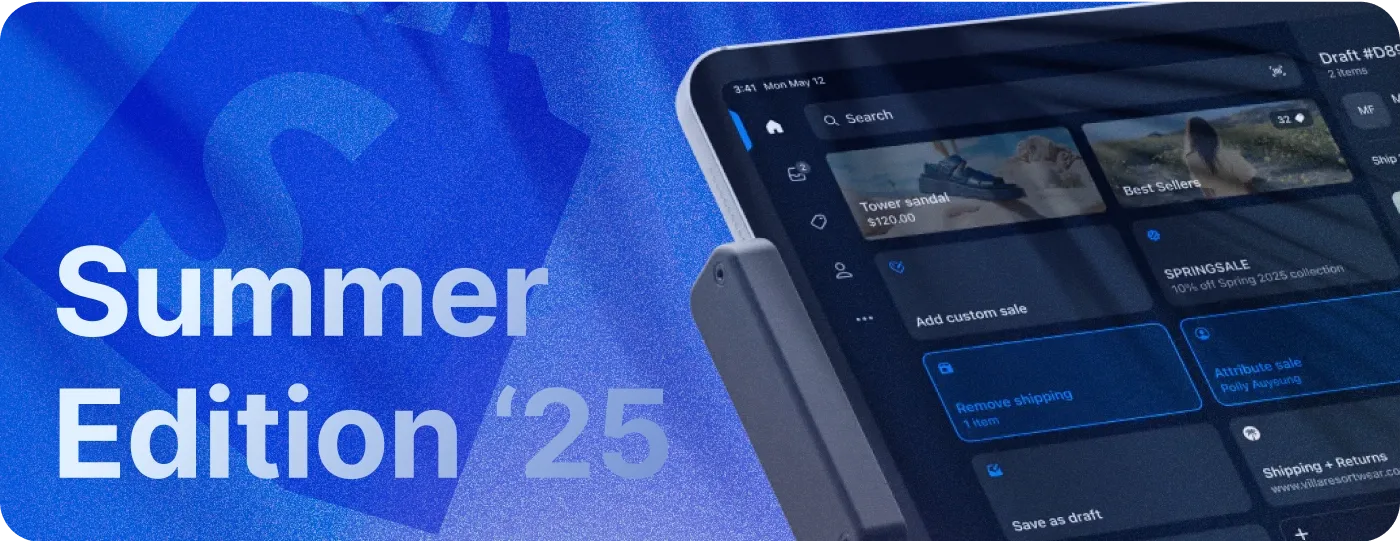
Shopify welcomes merchants to meet new horizons with 150+ updates and new features introduced in the Summer ’25 Edition. Horizons is actually what you will see once landing on the edition’s page, since it’s the name of Shopify’s new design foundation. What is it all about, and which are the most significant features of the new edition? DigitalSuits Shopify experts highlighted twelve of the most important updates every merchant should pay attention to. We describe them in detail to give you a better understanding of how to leverage new Shopify functionality in your ecommerce business.
Top 12 Shopify Summer Edition updates
As always with Shopify Editions, the updates are divided into different categories. This edition has twelve categories – Themes, Sidekick, Retail, Checkout, Global, Marketing, Shop App, B2B, Shipping, Operations, Developer, and Drive (this one is just for fun). We picked the most essential Shopify updates from each category (sometimes more than one) to help you make sense of this massive number of improvements.
- A better theme editor in Themes
- AI theme blocks generator in Themes
- Smarter Sidekick in Sidekick
- Redesigned Shopify POS in Retail
- Faster checkout loading in Checkout
- Submarkets and graph view in Global
- One discount for multiple savings in Marketing
- Smarter recommendations in Shop App
- B2B Markets in B2B
- Flat rates for multi-location orders in Shipping
- Edit subscription orders in Operations
- New skeleton theme in Developer
What are these features, and how will they influence merchants’ lives?
#1 A better theme editor
Let’s start by exploring the Horizon design foundation. It’s a new way of creating UX-optimized and appealing themes based on blocks, sections, and an improved theme editor. Based on this new vision, Shopify created ten free Horizon themes that are available to any user. On top of that, every merchant has a broad spectrum of tools for customizing and editing themes using a much better Shopify theme editor. What are some of the editor’s improvements?
- Hover-to-preview in block picker lets you preview elements before adding them.
- Categories for blocks and sections help streamline the selection process.
- One-click text editing makes it easy to add and fix your content.
- A simplified sidebar with conditional settings for layout, typography, etc., ensures clean UX.
- Right-clicking for all shortcuts is an easy way to manage every element of your design.
- Sections collapsed by default make your UX less cluttered.
- Custom names for blocks and sections let you better organize your work.
- Reusable blocks and sections are easy to copy and paste wherever you need them.
- A richer predictive search is set up for faster results.
- More interactive product cards let customers explore and add items to the cart faster.
- Discount code entry in carts enables you to boost customer loyalty.
Still, the most impressive new feature in the theme editor is the AI block generator.
#2 AI theme blocks generator
Shopify now gives you an opportunity to create theme blocks in a matter of seconds using Shopify Magic – the platform’s robust AI tool. You can make this right in your theme editor by using prompts and describing in detail which content and elements you expect to see.
This feature is available for any Shopify plan except for the Starter plan. However, your theme has to support theme blocks. To add a block, do the following.
- Go to the Online Store → Themes.
- Choose a theme you want to edit and click Customize.
- Select a desired section and click Add Block → Generate.
- Write a prompt for Shopify Magic to process your request.
- Preview the generated block in the theme editor and keep it if you like it, or proceed with further customization by writing follow-up prompts.
Similarly, you can generate your own themes. Note, though, that AI-generated blocks may cause issues in your store if their code is not properly reviewed. If this happens, you can delete a new liquid file in the block folder in your theme’s code or contact a proven Shopify Partner for assistance.
#3 Smarter Sidekick
Sidekick – Shopify’s AI assistant – is becoming even smarter, speaking 20 languages, helping in onboarding, organizing collections, configuring payments, and more. It’s capable of multi-step reasoning and in-depth analysis to help you handle every aspect of your store. With the latest updates, Sidekick can analyze multiple data sources and proactively suggest strategies in different areas, from selling to marketing. It can also generate custom images for you using prompts or references. On top of that, you can use voice chat and screen share to communicate with Sidekick.
#4 Redesigned Shopify POS
Shopify's POS interface is now more intuitive for retail staff. It has clearer layouts and more accessible information to stay focused during in-store checkout. Navigation became smoother, giving one-tap access to registration, connectivity, and lock screen. Smarter search allows you to look for products, orders, draft orders, and customers without switching screens. On top of that, you can design a customer screen with images and colors tailored to your brand identity.
#5 Faster checkout loading
The Shopify team works hard to improve the checkout process continuously, and, as a result, summer updates made the checkout loading 2 seconds faster. This lets customers add payment and shipping details more easily, improves user experience, and boosts conversions.

New Shopify features are here. Let’s make them work for you.
#6 Submarkets and graph view
The updated version of Markets provides new features for merchants, streamlining international selling. The submarkets feature allows you to customize your existing Region markets. For example, you can add a French submarket for Europe and a separate language to let French users view your store in their mother tongue. Graph view, as an alternative to List view, lets you see all changes and settings for markets and submarkets in a visual format.
To make the most of these new tools, our team offers Shopify internationalization services that ensure your store is perfectly adapted for every market you target.
#7 One discount for multiple savings
With Shopify Summer updates, merchants can apply a single discount to multiple fields, such as orders, products, and shipping. You can offer your customers a single automatic discount or a single discount code that includes multiple savings displayed in the cart or at checkout. For example, your discount code WELCOME10 offers a 10% discount for an order and free shipping. In this case, your customers will see the following in the cart:
You can also apply a single discount with multiple savings to draft orders. This functionality is available either with a third-party discount app or by building a custom Shopify app specifically for your store for more tailored features and greater flexibility.
#8 Smarter Shop App recommendations
If you use Shop App for selling your products, you can now reach new and existing customers through personalized recommendations that adapt based on real-time shopping activity. You can also better sync your online store products with Shop App using new PDP customizations.
#9 B2B Markets
Markets for B2B businesses are now available for the Shopify Plus plan. Plus merchants can create multiple B2B markets, each with their own catalogs, currency, and storefront theme customizations. They can also preview the buyer experience using the ‘View as’ feature in the products section.
If you’re a Shopify Plus merchant, you can now activate B2B Markets with the feature test drive, used to test upcoming Shopify features.
#10 Flat rates for multi-location orders
The Shopify Summer updates allow you to charge customers a single flat delivery rate when items are shipped from multiple locations within a single shipping profile. For example, suppose you have two warehouses in New York and Michigan with a flat shipping rate of $5. Your customer orders two different shirts. One is stocked in the New York location and the other in Michigan. In this case, your customer is charged a single flat shipping rate of $5 USD if these two locations are in the same location group (shipping profile).
#11 Edit subscription orders
Merchants can now manage orders that contain subscription and pre-order items before shipping in the Shopify Admin → Orders. Here, you can search and filter orders by status and edit ones that contain subscription or scheduled fulfillment items. You can add or remove a discount, add a one-time purchase item, change the subscription item quantity, and more. See more details on managing subscription orders in the Shopify Help Center.
#12 New skeleton theme
Shopify Skeleton Theme is a minimal, carefully structured Shopify theme designed to quickly get started with initial development and customization. It’s based on the best Shopify practices; it’s performant and easy to extend and maintain. You can start using it by visiting the Skeleton theme repository.
What else does Shopify Summer Edition offer?
Looking for more features introduced in the Shopify Summer ’25 Edition? We share some additional updates you may be interested in.
Next-gen development platform
The Next-Gen dev platform provides Shopify app developers with new tools for more efficient work using Shopify CLI and the Dev Dashboard. This platform is now in early access and only available for invited participants.
HTTP request in Shopify Flow
The “Send HTTP request” action now supports returning data to use in Shopify Flow and can securely store and use secrets. Secrets are created and managed from the Flow > Settings page.
Discount code in cart
Shopify Summer Edition allows you to apply discount codes directly in the cart if you use the Horizon theme and the Ajax Cart API. Previously, it was only possible with a third-party app or custom coding.
Customer-specific extensions
You can now build country- and company-specific logic in UI extensions based on a customer's market. This will allow merchants to expand their business to a global audience by creating shopping experiences in local languages and currencies.
Cookie banner in Checkout
The cookie banner is a must for complying with data privacy laws, and in Shopify, you can automatically show your cookie banner across the store pages, including the checkout page. To set up your cookies banner and let your customers quickly adjust cookie preferences, go to Settings → Customer privacy → Cookie banner. Here, you can configure the banner and activate/deactivate it for checkout.
Shopify Payments in 16 more countries
Shopify Payments is now available in 16 more countries, including Mexico. This allows merchants to reduce transaction costs and set up additional payment methods for streamlined checkout.
Looking for the best payment solutions for your Shopify store? Take a look at these top 9 Shopify payment apps for streamlined transactions.
Polaris unified UI components
Shopify developers can use a single UI framework – Polaris – that makes it easy to integrate with Shopify Admin, Checkout, and Customer Accounts and create apps and UI extensions. Learn more about Polaris here.
Summary
Let’s recall the top twelve Shopify updates introduced in the Summer ’25 Edition that will be useful for every merchant and developer.
- A better theme editor has multiple improvements, including a simplified sidebar and one-click text editing.
- AI theme blocks generator makes it easier to create new blocks using AI prompts right in the theme editor.
- Smarter Sidekick now speaks 20 languages and is capable of multi-step reasoning and in-depth data analysis.
- Redesigned Shopify POS now has a better UI and navigation for seamless processing of in-store purchases.
- Checkout loading is now 2 seconds faster than before, making the user experience even more efficient.
- Submarkets allow you to add languages and currencies for an existing Region to display relevant store content for different countries included in a particular Region.
- One discount for multiple savings allows merchants to apply a single discount for products, orders, and shipping.
- Smarter Shop App recommendations are now more personalized and based on real-time shopping experiences.
- B2B Markets are now available for Shopify Plus users to create and set up stores for international selling in different regions.
- Flat rates for multi-location orders allow you to charge a single delivery rate when items are shipped from multiple locations.
- Subscription orders management lets you edit orders that contain subscription items, adding or removing discounts, items, and more.
- The new skeleton theme is a starting point for developers – a theme that’s based on the best Shopify practices and lets you further build and customize it.
If you have any questions or meet challenges implementing some of these features into your store, don’t hesitate to contact the DigitalSuits team. We have our fingers on the pulse of the latest Shopify news and are always ready to help you keep your project up to date.
Written by
 Anastasiia MoskvichovaContent Marketing Specialist
Anastasiia is an enthusiastic content writer who diligently researches and curates valuable information to craft engaging content tailored for readers with a keen interest in marketing, sales, and technology.
Was this helpful?
0No comments yet