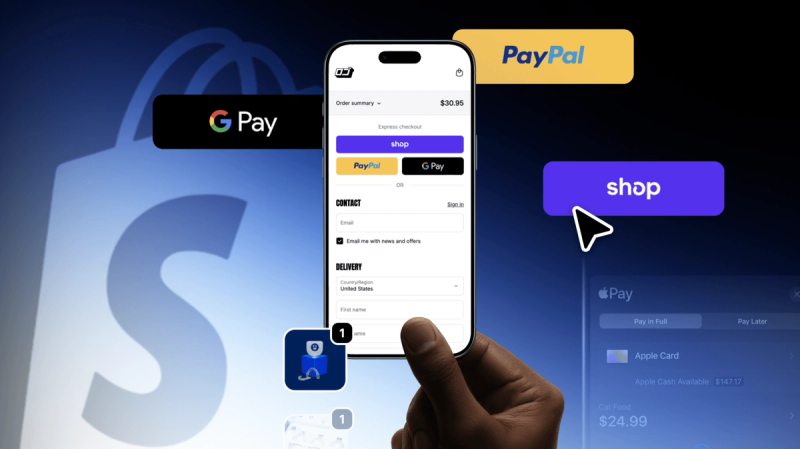




There are over a hundred payment gateways for Shopify, but a store only needs one or two, and the wrong pick costs money twice. Once through fees, which quietly compound on every order for years. And once at checkout, where buyers leave the moment their trusted payment method is missing.
What makes the choice tricky is that gateways don't compete where you'd expect. Advertised rates differ by only a fraction of a percent. The real differences lie in Shopify's own fee rules, payout speed, and market coverage. Get those three right and the decision about Shopify payment integrations mostly makes itself. Keep reading to see how.
Best Shopify payment gateways
Merchants keep asking which gateway is "the best," and the honest answer is annoying: it depends on volume. The best payment provider for Shopify doing $5,000 a month is rarely the right one at $500,000, because fees, negotiating power, and market coverage all shift with scale. Same goes for geography - there's no single best payment gateway for Shopify that wins in Warsaw, Mumbai, and Ohio at once.
The table gives you the shape of the market. The fee mechanics behind these numbers are explained in the next section.
Gateway | Fees (from)* | Reach | Best for |
|---|---|---|---|
2.5–2.9% + 30¢ | 20+ countries | Most Shopify merchants in supported countries | |
2.9% + 30¢ | 46 countries, 135+ currencies | High-volume and developer-heavy teams | |
2.59% + fixed fee | 200+ countries | New stores and trust-sensitive audiences | |
2.6% + 10¢ | 6 countries | Merchants combining online and in-person sales | |
$25/mo + per transaction | US-focused | Subscription and recurring billing | |
2.59% + 49¢ | 45+ countries, 130+ currencies | PayPal/Venmo-heavy sales | |
$0.13 + method fee | ~100 countries, 180+ currencies | Enterprise, global brands | |
Quote-based | 150 countries, 120+ currencies | High-volume international sellers |
Verify current pricing before deciding – providers update rates regularly.
Shopify Payments
If your country is among the supported ones, start here and only look elsewhere if something specific is missing.
As the native Shopify payment gateway, it turns on from the admin panel with no separate merchant account, and the part that matters financially – orders processed through it skip Shopify's third-party transaction fee. Fraud analysis, multi-currency selling, and payouts all live in the same dashboard as your orders.
Availability is the one real problem. Not every country is covered, and Shopify excludes some business categories outright, including parts of financial services and regulated goods. You can check the list of supported countries in Shopify's documentation before counting on it.
Stripe
Developers like Stripe for a reason. The APIs are well-documented, subscription billing is built in rather than bolted on, and its Radar system uses machine learning trained on Stripe's own network to catch fraud. It charges 2.9% + 30¢ and supports 135+ currencies.
What the marketing won't mention: on Shopify, running Stripe as your only gateway means paying the platform's extra fee on every order, so most stores that use it pair it with something else.
PayPal
200+ countries and a brand your customers already know. That familiarity is worth real conversion for a new store – buyers hesitate to type card numbers into a site they've never heard of, and PayPal removes that step, which is why it keeps getting named the best payment gateway for small business owners without an established brand.
Keep Shopify Payments active alongside it, and PayPal orders won't trigger the extra fee either. Watch the currency conversion charges on international sales, though. They add up faster than the base rate suggests.
Square
Square only operates in 6 countries, so for most of the world this entry is academic. Where it does operate, though, its reputation from the point-of-sale world carries over well to Shopify.
Merchants who split revenue between a webstore and a physical counter, a shop, market stalls, or pop-ups get both sides in one system. They receive card and wallet payments (Apple Pay and Google Pay included), inventory, and sales analytics detailed enough to skip a separate reporting tool. Signing up costs nothing, pricing is published rather than quoted, and deposits reach the bank fast.
Authorize.net
Authorize.net predates most of this list, having processed online payments for over two decades and now owned by Visa, which says something about its standing. The $25 a month fee on top of transaction costs only makes sense at steady volume, but merchants who pay it get a genuinely deep feature set:
- Accepts cards, eChecks, and digital wallets
- Checkout styling that can match your store's branding
- Tokenized storage of customer payment data – the backbone of its recurring billing
- Coverage in 30+ countries, though strongest in the US
- Phone support merchants actually praise in reviews
For subscription businesses on Shopify, that combination of tokenization and mature recurring billing is the main reason to look past the monthly fee.
Braintree
Braintree belongs to PayPal, and that's the core of its appeal: one single integration brings in cards, PayPal, Venmo, Apple Pay, and Google Pay, so customers pick whatever they prefer without you juggling separate providers. The setup connects to Shopify without friction, and from there the platform gives merchants room to shape things:
- Checkout flow that can be customized rather than taken as-is
- A vault for stored payment profiles – the piece behind its free recurring billing
- Fraud screening and data encryption baked in, not sold as add-ons
- Operates in 40+ countries and 130+ currencies
Flexibility is the real argument here. Stores that expect their payment mix to change, new markets, new methods, subscriptions layered on later, get a gateway that scales with them instead of boxing them in. That said, if PayPal and Venmo aren't a meaningful slice of your revenue, Stripe covers similar ground and is easier to find developers for.
Adyen
Adyen was built mostly for enterprise merchants, and everything about it follows from that. It's a full payment stack rather than a simple processor. A single platform for online, in-app, and in-store transactions, aimed at brands that want tight control over how payments are processed. Plugging it into Shopify is straightforward; what you get once connected:
- Cards, debit, and mobile wallets, plus 200+ local payment methods
- Fraud screening with dynamic card validation on every transaction
- Real-time reporting deep enough to track payments, manage chargebacks, and spot where checkout conversion leaks
- Per-method pricing from a $0.13 fixed fee
Large merchants pick Adyen for control and data. Smaller ones usually don't: below serious transaction volume, the pricing model and the sales process both work against you.
Worldpay
International reach is Worldpay's whole pitch. Merchants selling across multiple regions get a gateway built for exactly that: localized payment experiences, multi-currency processing, and infrastructure that doesn't care which continent the order comes from. What that looks like in practice:
- Credit and debit cards, Apple Pay, and digital wallets, plus local payment methods per market
- Multi-currency support paired with wide country coverage
- Fraud prevention and security tooling at the level global volume demands
- Pricing shaped around each merchant's setup, nothing is published, everything is negotiated
Regional & alternative options
The best payment methods for Shopify stores vary by market, and in some markets the local method beats cards outright. Poland runs on BLIK, PayU, Przelewy24, or Tpay. The Netherlands has iDEAL, and Belgium has Bancontact, both reachable through Mollie. India uses UPI via Razorpay; Southeast Asia – GrabPay. Klarna sits in a different category – Buy Now Pay Later (BNPL) – and tends to lift conversion on higher-priced items.
Most of these connect through Shopify payment apps from the App Store without custom work.
Shopify payment gateways vs. third-party solutions. The fee structure to understand
Every gateway comparison for Shopify starts with one platform-specific rule. When you process an order through Shopify Payments, you pay only the card processing fee for your plan. When you process it through any third-party payment gateways for Shopify, you pay that gateway's own fee plus an additional fee to Shopify.
There's one useful exception, activating Shopify Payments lets you accept PayPal and Shop Pay orders without triggering the extra fee.
How Shopify's extra transaction fee works by plan
The third-party transaction fee is tied to your subscription plan:
- Basic – 2.0% of each order
- Shopify (Grow) – 1.0%
- Advanced – 0.6%
- Shopify Plus – 0.2%
The percentages look small until you apply them to real volume. A store on the Shopify plan doing $150,000 a month pays an extra $1,500 monthly, $18,000 a year, for the privilege of using an external gateway exclusively. That's on top of whatever the gateway itself charges.
Before committing to a third-party provider, run this calculation against your own turnover. For many merchants, it settles the question on its own.
When a hybrid setup makes sense
You don't have to pick one gateway. Shopify lets you run Shopify Payments and a third-party provider side by side, and this is often the configuration with the lowest total cost:
- Shopify Payments handles cards, Apple Pay, and Google Pay, with no extra transaction fee.
- A third-party gateway covers methods Shopify Payments doesn't support in your market: local bank transfers, BLIK in Poland, iDEAL in the Netherlands, UPI in India.
- Customers see all options in one checkout and pick what they trust.
The hybrid model makes sense when a meaningful share of your buyers prefers a method Shopify Payments can't process, or when you sell into markets where Shopify Payments isn't available at all. If nearly all your orders are card payments in a supported country, a second gateway adds maintenance work without much return.
Key factors to weigh when choosing a Shopify payment gateway
Comparing Shopify payment gateways on the headline rate alone is how stores end up migrating a year later. These are the factors that actually separate them.
Transaction & processing fees
The advertised rate is only part of the picture. A realistic comparison includes:
- per-transaction fees (percentage + fixed amount)
- monthly or annual subscription fees (Authorize.net charges $25/month; most others charge nothing)
- currency conversion fees, typically 1-2% per converted order
- surcharges for international cards, manually entered payments, and chargebacks
One thing pricing pages won't tell you is that published rates are aimed at new merchants. Stores with stable volume – roughly $25,000+ per month can usually negotiate custom rates directly with the provider. A 0.2–0.4% reduction at that scale is real money.
Security & PCI compliance
Any Shopify payment gateway worth considering is PCI DSS certified, encrypts payment data in transit, and screens transactions for fraud. Shopify Payments and Stripe are certified at PCI Level 1, the strictest tier.
The practical question is how much of the compliance burden lands on you. Hosted and platform-native gateways keep card data off your infrastructure entirely, which keeps your own PCI scope minimal. Custom integrations shift more of that responsibility to your team.
Payment methods & reach
Supported payment methods
Cards alone don't cut it anymore. Look at what each gateway supports beyond Visa and Mastercard:
- digital wallets
- bank transfers
- Buy Now Pay Later options like Klarna or Afterpay, and direct debit
Every method missing from your checkout is a segment of buyers who may leave.
International reach & multi-currency support
If you sell internationally on Shopify, check three numbers for each candidate:
- Countries where the gateway operates
- Currencies it can charge in
- What it charges for conversion
The spread is wide. For instance, Adyen processes payments in 180+ currencies, while some regional providers handle one market only. Letting customers pay in their own currency measurably improves conversion on international traffic.
One-click & express checkout for mobile conversion
Mobile is where most carts die, largely because typing card and address details on a phone screen is tedious. Express options store those details and reduce the purchase to a tap and biometric confirmation for returning buyers.
Shop Pay is arguably the best payment method for Shopify mobile checkout, with Apple Pay and Google Pay close behind. If mobile drives a large share of your traffic, treat express checkout as a hard requirement, not a bonus. Payment convenience is one piece of a bigger picture here.
For more details, see our guide to Shopify checkout optimization.
Regional methods that drive local conversion
Some markets have a dominant local method that outperforms cards entirely:
- BLIK in Poland
- iDEAL in the Netherlands
- Bancontact in Belgium
- UPI in India
If you sell into one of these markets without the local favorite, expect buyers to abandon checkout regardless of how smooth the rest of the experience is. This is the single strongest argument for the hybrid setup described above.
Operational factors
Setup time & ease of integration
Activation time varies more than most merchants expect. Shopify Payments and PayPal are live within a day. Some third-party providers take three to five weeks of account verification and underwriting. Start gateway setup early. Waiting until the store build is finished is a common way to delay a launch.
Payouts & settlement speed
How quickly money reaches your bank account directly affects cash flow, especially if you buy inventory on short cycles. Shopify Payments typically settles in 2-4 business days depending on region. Square is known for quick deposits while Amazon Pay can hold funds for up to 14 days. Check the payout schedule before you sign, not after your first sale.
Customer support & merchant reviews
When payments break, they break loudly, and customers blame the store, not the gateway. Read merchant reviews with attention to two aspects: how the provider handles disputes and frozen funds, and whether you can reach a human when something goes wrong.
Scalability & regional availability
Choose for the business you're building, not just the one you have. A gateway that fits a single-market startup can become a constraint once you expand. For example, Shopify Payments isn't available in every country, Square operates in only six, and migrating gateways later means reverification, checkout changes, and sometimes the loss of stored customer payment profiles. If international growth is part of the strategy, weight global providers accordingly now.
How to choose and set up your Shopify payment gateway: a step-by-step process
This is where the factors above turn into a decision. Work through it in order as each step narrows the field.
Map your sales structure
Break down orders by market and device. Define what share is domestic vs. cross-border, and what share is mobile. This tells you which payment methods and currencies are mandatory before you look at a single pricing page.
Shortlist by availability
Eliminate every gateway not available in your country of registration and your customers' markets. This usually cuts the list in half immediately.
Calculate total cost of ownership, not headline rates
For each remaining candidate, model a month of real orders:
gGateway fees + Shopify's third-party fee for your plan + conversion fees + any subscription
Run the same math for a hybrid setup with Shopify Payments. The cheapest configuration is rarely the one with the lowest advertised rate.
Check the operational fit
Payout schedule against your cash flow needs, setup time against your launch date, fraud tooling against your risk profile, support quality against merchant reviews.
Negotiate before you commit
If your volume justifies it, contact the provider's sales team for custom rates. Do this before integration, or your negotiating position will weaken once you're live.
Integrate and configure
For most gateways, this happens in Shopify admin:
Settings → Payments → Choose the provider and connect your account
Enable express checkout buttons as part of the design and set their placement (product page, cart, or checkout).
Test before launch
Run test transactions across payment methods and devices, verify refunds work, and confirm funds land in the right account. Then watch checkout analytics for the first weeks: a drop-off spike at the payment step usually points to a missing method or a redirect that's affecting your orders.

Not sure which configuration fits your store's markets and margins?
When you might need custom development for Shopify payment gateway
Standard Shopify payment integrations cover most stores, but some situations fall outside them:
- a regional provider with no Shopify app
- a B2B flow with split payments or invoicing rules
- a marketplace that routes funds to multiple sellers
In these cases, a custom integration built on Shopify's Payments Apps API is the path forward. It's a certified-developer job as payment code carries compliance obligations that generic app development doesn't. If you're facing one of these scenarios, DigitalSuits' Shopify integration services can handle exactly this kind of work.
Final thoughts
Choosing a payment gateway for Shopify comes down to a cost model, not a brand preference. Start with the platform's fee structure, map your customers' payment habits, and run the total-cost math for your actual volume – the answer usually becomes obvious. And remember the decision isn't permanent, but it is sticky. Migrations cost time and can disrupt checkout, so an hour of calculation now beats a replatforming project later. If you'd rather have someone pressure-test the numbers with you, talk to our team.
Written by
 Yurii ZablotskyiContent Marketing Specialist
Yurii Zablotskyi is a passionate content writer and storyteller with a strong marketing background, focusing on marketing, sales, and technology, turning complex ideas into valuable content.
Was this helpful?
0No comments yet