


Shopify’s May changelog was not the loudest one of the year, but it had several updates merchants should not skim past.
- There were 25 updates in total. A few are mostly admin cleanups. Others touch areas that matter much more: payments, analytics, inventory, tax, markets, and how products appear in AI-driven shopping channels.
- The main ones to look at are Agentic Storefronts, multi-entity Shopify Payments, Shopify Tax for Canada, Product Variant Publishing, and SMS automations in Shopify Messaging.
- One removal also deserves attention. Shopify removed Benchmark Comparisons from Analytics on May 19, 2026. If your team used that view in monthly reports, it is worth deciding now what will replace it.
Below is a practical walkthrough of the May 2026 Shopify updates and what each one means for merchants.
Agentic Storefronts now have their own place in the Shopify Admin
Shopify has added a dedicated Admin section for Agentic Storefronts. In plain terms, this is where merchants can see how their products appear in AI-powered shopping channels, including ChatGPT Shopping and Microsoft Copilot. The section shows product visibility, sales attributed to those channels, and recommendations for improving product data.
This is still an early area for many merchants, but it is not something to ignore. Product discovery is already spreading beyond Google, social, and marketplaces. If shoppers start asking AI tools for product recommendations, the quality of your product data becomes even more important. That means titles, descriptions, attributes, images, variants, and category details need to be accurate and complete.
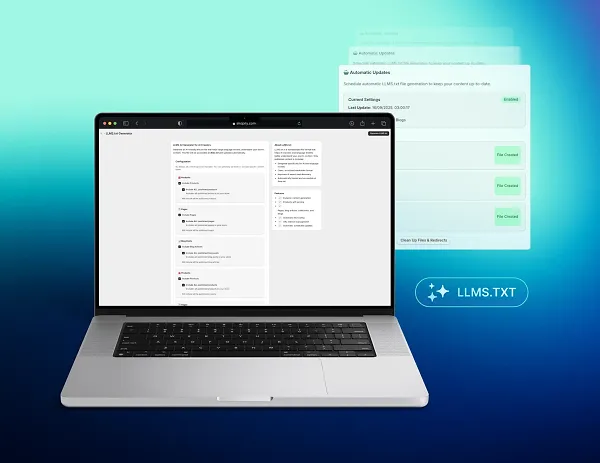
If your catalog has not had a proper data review in a while, this update is a good excuse to do one. To boost your chances of getting discovered by AI tools, install the LLMS.txt generator app developed by DigitalSuits for merchants to automatically generate an LLM-specific sitemap to help services like ChatGPT understand your content better and faster.
Learn more about the LLMO techniques that can boost your website visibility within AI tools.
Note that Agentic Storefronts are now available only for the US-based stores. To check if your store is eligible, go Sales channels → Agentic.
Product Variant Publishing gives merchants better control over catalogs and sales channels
Shopify now allows merchants to publish or unpublish individual variants by sales channel and catalog.
This sounds small at first. In practice, it solves a real catalog management problem. Before this update, merchants often had to work around variant limitations. If one size, color, or version of a product needed different visibility, the options were not always clean. Now, a product can stay live while specific variants are hidden or shown in selected places.
A few simple examples:
- A clothing brand can make one color exclusive to a specific channel.
- A wholesale catalog can hide selected sizes while the DTC store keeps them available.
- A seasonal variant can remain active in one market while being removed from another.
For merchants with large catalogs, limited editions, wholesale pricing, or market-specific merchandising, this gives much more control. For developers, there is also an API angle. Product Variant Publishing is supported through the Admin API, so custom catalog tools may need to account for this.
To see in detail how it works, check out the variant publishing documentation.
SMS automations are now available in Shopify Messaging
The Shopify Messaging app now supports SMS marketing automations. Merchants can create automated SMS messages for abandoned carts, abandoned checkouts, and other customer touchpoints without adding a separate SMS platform. SMS automations are charged per message sent. You can manage your SMS spending threshold from Shopify Messaging → Settings.
For stores already using Shopify’s email automations, this makes sense. SMS can now sit closer to existing automation flows, instead of being managed in a completely different tool.
Discounts can now be limited to specific markets
Shopify now lets merchants assign discounts to specific markets, which is useful for Shopify internationalization and Shopify B2B setups. For example, a promotion can apply only in France, and a regional campaign can run without affecting the rest of the store.
Before this update, discounts could be targeted by customer or product, but not directly by market. Merchants had to rely on discount-code workarounds, customer segments, or custom logic.
What's new:
- Eligibility selector on the Discount Details page to assign any code-based or automatic discount to one or more markets
- Market and customer filters on the discounts list for filtering by market, customer segment, or specific customers to find what's active where.
- Discounts on the Market Details page to see all discounts assigned to a market at a glance.
Refunds can now handle discounts more accurately
Shopify now lets merchants apply discounts directly on the refund page when refunding discounted items. This helps the refund amount reflect the actual discounted price. Before this update, teams had to navigate to the order editing page first – adding unnecessary steps.
How it works now:
- Open an order and go to the refund page.
- Add, change, or remove a discount on any eligible item.
- The outstanding balance updates automatically.
- Issue the refund against the discounted amount.
For stores that run frequent promotions, this update helps reduce the chance of over-refunding, under-refunding, or creating messy reporting differences.
Fulfillments without tracking can now be marked as delivered
Shopify now allows merchants to manually mark fulfillments as delivered without tracking. This can be done from the Fulfilled card on an order or in bulk from the Orders page.
The update is especially useful for local delivery, in-store handoff, courier delivery without tracking, or other fulfillment methods outside traditional carrier tracking. That makes order statuses cleaner for both staff and customers.
Inventory adjustments now have full change tracking
Shopify now gives inventory adjustments a complete audit trail. Each change shows who made the adjustment, what changed, and when it happened. That's especially important for stores with multiple staff members or several inventory locations.
When adjusting inventory in the admin, a popover now gives you two options:
- Set To – enter the quantity you want. Shopify logs the change automatically.
- Adjust By – specify a source and destination for full movement tracking.
The Bulk editor works the same as before – set available quantities directly, no source or destination needed.
Shopify updated Sardinian province definitions in Italy
Shopify has updated Italy’s province definitions to reflect Sardinia’s restored administrative structure, which came into effect in June 2025. Merchants shipping to Sardinia may notice updated province names in checkout.
Inventory transfers now require fewer steps
Shopify has simplified the inventory transfer process. Merchants can now move inventory directly to “in transit” without creating a shipment first. The transfer page has also been redesigned so teams can see transfer progress more clearly.
For stores that rarely move stock between locations, this may feel minor. If your team moves inventory from a warehouse to retail stores every week, removing one step from each transfer saves time and reduces friction.
Checkout and customer account branding is now more consistent
Shopify has unified branding settings across checkout, customer accounts, and the sign-in pages. These settings now apply from one place in the checkout and accounts editor.
What can you do?
- Configure once, apply everywhere. Set your logo, colors, typography, and section styles in one place – they carry through checkout, customer accounts, and the sign-in page automatically.
- Pick any color, save what you use. Set colors using direct values instead of working within a fixed number of schemes. Save up to 20 brand colors to a reusable palette – update one, and it changes everywhere it appears.
- Override per surface when needed. Set a different logo or background color on specific pages for a tailored look. Shopify Plus merchants get more advanced surface-specific controls through the Checkout and Accounts Configuration API.
Gift cards can now be issued in local currencies
Multi-market merchants can now sell and issue gift cards in any currency they operate in, not just the store's primary currency. A USD-based store can issue EUR, CAD, GBP, or any other market currency – with the value held in that currency end-to-end.
This fixes a long-standing problem for international retailers: a Canadian buyer no longer sees a $10 USD gift card converted to $14.07 CAD at checkout, and balances stay stable regardless of exchange rate movement between purchase and redemption.
When creating a local currency gift card, choose how it can be redeemed:
- Issued currency only – balance stays fixed, no FX exposure.
- Any store currency – usable across all your markets, with conversion applied at redemption using the current exchange rate.
This setting is locked at creation and can't be changed afterward. To get started, create a gift card product priced in a market currency and publish it to that market's catalog, or issue one directly from the Gift Cards section in your admin.
See some tips on how to create and use Shopify gift cards for holidays to boost repeat purchases and improve customer satisfaction.
Shopify Flow can now pull analytics data with ShopifyQL
Shopify Flow has a new action that lets workflows use analytics data through ShopifyQL. This opens the door to more useful automations based on live store performance.
Some examples of what you can do:
- Schedule an analytics report to go directly to Slack.
- Send an alert when sales drop below a set threshold.
- Tag products when they hit a sales milestone.
- Get notified when storefront sessions spike or drop.
Before, this kind of automation often required custom API work or external infrastructure.
Flow workflows can now be tested with real shop data
Testing workflows now uses real data from your store. Pick a specific order, such as a recent fraudulent one, and run it through a workflow built to block that pattern. You can also add cases to confirm the workflow doesn't fire on orders it shouldn't touch.
For broader coverage, clicking "Generate test events" lets Sidekick analyze the workflow and pull real shop data to test each logical path. Each generated case contains everything needed to run the test. Review what Sidekick suggests, edit or remove anything that doesn't apply, add your own, and run it, no further setup required.
Flow now shows who changed a workflow
Shopify Flow now keeps a clearer version history. Teams can see who edited, activated, or deactivated a workflow, and when it happened. That makes troubleshooting easier and gives managers more accountability across automation work.
Version history is available on all workflows. Any staff member with access to the Flow app can view the history and browse past versions.
POS can now print packing slips for inventory transfers
Staff on POS Pro can now generate and print a packing slip directly from the shipment details of any outgoing inventory transfer.
The slip follows the same format as order packing slips, adapted for transfers. It covers items and quantities, origin and destination locations, and transfer details like reference name, date, notes, and tags. That gives both the sending and receiving locations a clear manifest to check against during handoff, which matters most when moving stock across stores, state lines, or borders.
This improvement is available in POS v11.6. The staff role needs the "Inventory > Manage transfers" permission to access it.
Shopify now tracks inventory at non-selling locations
You can now view and update on-hand inventory at any active location, including locations not set up to fulfill orders.
For those non-fulfillment locations:
- On-hand quantities are now visible and editable.
- Any existing committed or unavailable quantities remain visible until they reach zero.
- Available quantity won't show – since the location doesn't fulfill new orders. It appears as "–" on the Inventory page and blank on the Product variant page, both with a warning noting the location doesn't fulfill that variant.
Stock at these locations still won't be used for new orders, but can continue fulfilling any orders already committed there.
Customer account sign-in pages have a new layout
The customer account sign-in page has a refreshed design with more branding control built in.
The layout is now two columns – sign-in form on the left, a customizable background image on the right – giving you more visual space to express your brand beyond just a logo.
Customize and preview the sign-in page directly in the checkout and accounts editor. Shared settings apply consistently across all surfaces, with the option to tailor specific styling elements for the sign-in page on its own. Plus merchants get more advanced controls via the Checkout and Accounts Configuration API.
This improvement is available on the latest version of customer accounts only. If you're still on legacy accounts, use the upgrade guide to make the switch.
Customers can opt in to email marketing from the account component
The account component now includes a marketing opt-in checkbox below the email field. Customers who check it are added to your email subscriber list when they sign in.
The checkbox uses the same opt-in setting as checkout and the sign-in page. To enable or adjust it, go to Settings → Checkout → Marketing opt-in.
Benchmark Comparisons have been removed from Analytics
Benchmark Comparisons in Shopify Analytics stopped receiving new data and were fully removed on May 19, 2026.
As alternatives, Metric Targets let you set and track your own performance goals directly in your reports, or you can ask Sidekick for personalized guidance on your store's performance.
Analytics now shows annotations for store events
Charts in Shopify Analytics now show color-coded annotation markers tied to store events, so you can see what was happening in your store when a metric shifted.
If your conversion rate drops on a Tuesday, hovering over a marker might show that a new theme was published that day. Clicking it opens the annotation panel – a full daily breakdown of every product published, app installed, or system event that could explain the change.
To turn it on, open any report and enable Show annotations in the Visualization panel. Markers appear on the chart immediately. From the annotation panel, filter by event type, and use the arrow buttons to move between days and spot patterns over time.
Annotations cover three categories:
- Product events – published and unpublished products, ranked by revenue so the highest-impact changes surface first.
- Store changes – theme publishes, app installs, and uninstalls.
- System events – data delays and metric definition changes.
No setup required – annotations pull from your existing store activity automatically.
Analytics now supports cumulative metrics
Analytics now includes a cumulative view for time-series metrics. Instead of seeing individual daily values, your chart shows a running total – making it easier to track progress toward a goal or spot how a metric is trending across a period.
Turn it on with the Cumulative toggle in the Visualization panel, or add WITH CUMULATIVE_VALUES to your ShopifyQL query.
Cumulative view works in three ways:
- On its own to see how a metric builds day by day across a date range, useful for understanding growth patterns at a glance.
- With targets to compare your running total against a target line to see whether you're on pace to hit your goal.
- With prior-period comparisons to layer in the same period last year to see how this period's trajectory compares.
Shopify Payments now supports multiple legal entities in the same country
Merchants with multiple legal entities operating in the same country can now run separate Shopify Payments accounts for each – all from a single store, configured through Markets.
Previously, this required separate stores or expansion store workarounds. Now, eligible merchants can keep their business structure intact without splitting their operations across multiple Shopify admins.
Practical uses include:
- Selling online and in retail under separate legal entities
- Supporting different entities across retail locations
- Separating B2B and DTC sales under different entities
- Attributing sales, payouts, and compliance requirements to the right entity
Shopify Tax is now available for Canada
Shopify Tax has expanded to Canada, bringing automated calculations and liability tracking for Canadian sales tax across all provinces and territories.
Three new capabilities are now available:
- Enhanced calculations. Shopify Tax calculates GST, HST, PST, QST, and RST based on your customer's province and displays each rate individually at checkout. Taxes on shipping now follow the rate of each individual item, so zero-rated goods and mixed-rate orders are handled correctly.
- Smart categorization. Shopify suggests the relevant tax category for your products and applies the right rate automatically based on Canadian rules. The classic example: six or more donuts is zero-rated as a basic grocery in Canada; five or fewer is taxable as a snack food. You don't need to know every edge case, since Shopify handles the categorization.
- Tax liability insights per province. Track where your business may have tax obligations across each province and territory, not just at the country level. Liability insights analyze your sales against government thresholds and flag where you may need to register and collect.
Shopify Tax in Canada is rolling out gradually. New stores can start using it immediately; existing stores will be notified by email when it becomes available. See the Help Center for full details.
Shopify Payments has clearer payout wording
The Shopify Payments Payouts page has been updated with clearer labels and help text. "To be paid" is now "Payout balance," consistent with the language used across Finance, and the new help text explains how it's calculated: payments minus refunds, disputes, and fees.
If funds are held in reserve, the reserved amount continues to show separately, with help text explaining that reserved funds are temporarily held to cover disputes, refunds, and chargeback risk.
The Shopify Balance mobile app has a new look
The Shopify Balance mobile app has been redesigned with a cleaner look and updated layout. All the same features are there – cash, cards, recent activity, and money transfers – reorganized to make day-to-day financial management faster to navigate. No functionality has changed; it's purely a visual and usability update.
Final thoughts
A few updates need attention before they affect your store:
- Benchmark Comparisons are gone from Analytics – find a replacement before it quietly breaks your reporting routine.
- POS packing slips require POS v11.6 and the correct staff permissions to show up.
- Local currency gift cards lock their redemption setting at creation – decide before you start issuing them.
- Inventory adjustments now have two modes – Set To and Adjust By. Worth briefing your team before they run into the change.
- Product Variant Publishing is supported through the Admin API – if you maintain custom catalog tooling, account for it in your next update.
The updates with the most long-term weight are Agentic Storefronts and multi-entity Shopify Payments. Neither requires immediate action, but both point to where Shopify is heading – AI-driven discovery and more complex business structures supported natively in one store.
Check the Shopify changelog for more information.
Need help implementing any of these changes or improving your store? Contact the DigitalSuits team. We're a certified Shopify Plus Partner, and our agency delivers full-cycle Shopify services, from an initial store setup to theme customization and diverse integrations.
Written by
 Anastasiia MoskvichovaContent Marketing Specialist
Anastasiia is an enthusiastic content writer who diligently researches and curates valuable information to craft engaging content tailored for readers with a keen interest in marketing, sales, and technology.
Was this helpful?
0No comments yet