


Shopify’s August 2026 updates focus on the work merchants handle every day: shipping labels, duties, tax calculations, receipt printing, and staff setup. There was no major platform overhaul, but several changes may affect daily workflows. One also came with a deadline that has already passed.
All information below comes from the Shopify changelog. We’ve grouped the updates using Shopify’s own categories, with each heading linked to the original announcement.
What's new that Shopify offered in August?
A few new options arrived in August, mainly for reporting and shipping.
Shop Campaigns performance in your analytics tools
Shop Campaigns data can now be pulled through ShopifyQL. This means teams can view campaign performance alongside their other marketing channels instead of checking it in a separate tab.
Available data includes:
- Campaign performance by customer segment and time period
- Ad spend, sales, and order numbers
- Return on ad spend, average order value, and average customer acquisition cost
If you use an analytics app such as Triple Whale, Northbeam, or Elevar, your provider can add Shop Campaigns data to its dashboards. Availability will depend on the provider's rollout schedule.
Teams that create custom reports in Power BI, Tableau, or Looker Studio can connect to the data through ShopifyQL. Shop Campaigns performance is also available in the Analytics and Advertising tabs of the Shopify admin.
Connecting the data is only the first step. You still need to match fields, align reporting periods, and agree on which source to trust when two tools report different numbers. Our Shopify integration services can handle that part.
DHL Express is now available in the UK, Germany, France, Italy, and Spain

Merchants in those five markets can buy DHL Express labels straight from the Shopify admin. No third-party app, no separate DHL account.
What comes with it:
- Domestic and international label purchase inside the admin
- Customs paperwork generated automatically on international orders
- DHL On Demand Delivery, which lets a customer reschedule, redirect to another address, leave the parcel with a neighbor, or collect it from a DHL service point
- Availability on any Shopify plan, with no monthly fee and no app. You pay per label.
To use it, open an order and select Create shipping label.
For stores selling across several European markets, this changes the shipping calculation. Rates, delivery promises, and returns handling all shift when a new carrier becomes available natively. If cross-border selling is on your roadmap, our Shopify internationalization services cover the setup around it.
What's been removed
Managed Markets is ending Delivered Duty Unpaid (DDU) support. This one had a date, and the date has passed. On August 24, 2026, Shopify Managed Markets stopped supporting DDU in every country and region where it supports Delivered Duty Paid (DDP).
What changed:
- Markets that used or inherited DDU moved to DDP automatically wherever Managed Markets supports it
- Customers in those markets now pay duties and taxes at checkout instead of paying the carrier or customs on delivery
Shopify's reasoning is that collecting at checkout removes surprise charges on delivery and keeps the total price predictable for the shopper.
If you still want customers to pay on delivery, the only route is to turn off Managed Markets. Everyone else can't ignore this, and the switch has already happened.
It is worth revisiting your international pricing now. Duty collected at checkout raises the number a shopper sees before they commit, and that hits conversion harder in some markets than others. Our guide to international selling on Shopify covers where those trade-offs usually land.
What Shopify improved in August
This is the biggest group in August, and the one where all the main work has been done.
Microsoft Advertising now available in Campaign Autopilot
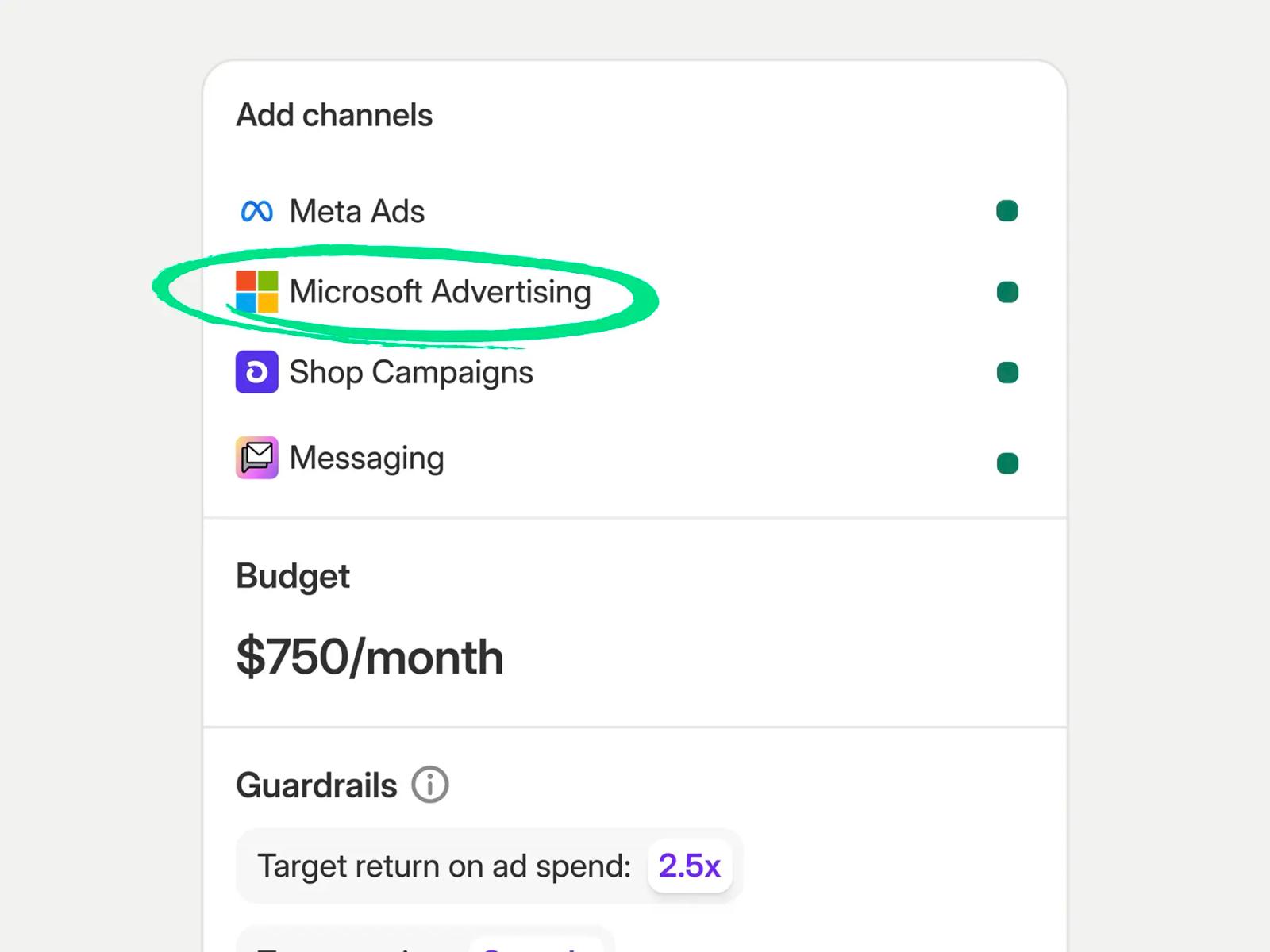
Campaign Autopilot picked up Microsoft Advertising as a channel. Autopilot can create a Microsoft Advertising account for you or connect one you already have, then run Performance Max campaigns alongside your other channels. Budget moves automatically based on how each connected channel performs.
Campaign Autopilot is still in early access. You sign up from the Growth tab in your admin.


Not sure which of these apply to your store?
We can review your setup and tell you what needs attention.
Enhanced printed receipt editor
Shopify POS receipts got a proper editor, and Liquid receipt templates got an expiry date. Sale, return, exchange, gift, and gift card receipts are now managed in one place. Return and exchange receipts print as a single section with one amount summary at the bottom, replacing the old two-section layout with two subtotals.
The new content editor in the POS channel does the following:
- Applies your branding, header, and footer across every receipt type
- Lets you override settings by location only where you need to
- Includes fields for return policy, signature line, and regional tax IDs such as VAT, GST/QST, and ABN
- Shows a real-time preview, so routine edits no longer need the Liquid editor
Gift receipts no longer print line items, which means you can print several at once. Gift card receipts can be set to print automatically or not.
Now the part to do. If your shop runs a customized Liquid receipt template, you have until January 1, 2027, to move to the new editor. You can build and preview the new template while the old Liquid one keeps printing. When you flip the shop-level switch, the change is permanent. Any shop still on Liquid on January 1, 2027 gets migrated automatically.
We think it is worth explaining what automatic migration means. If your Liquid template carries a return policy block, a regional tax ID, or a location-specific footer, the new editor has fields for all of those. Somebody still has to fill them in. A shop that gets migrated automatically on January 1 prints whatever the default says, and the first person to notice is usually a customer standing at a returns desk.
This one applies to you if:
- Your POS receipts were customized by a developer or an agency at any point
- You print different receipt content by location
- Your receipts carry a VAT, GST/QST, or ABN number
- Nobody currently on your team knows where the receipt template lives
Taxes now recalculate when you change an order's shipping address
Editing a shipping address used to leave the original destination's tax on the order. Financial records and tax reports could drift apart without anyone noticing.
You see a preview of the new amounts before saving, and if the change creates a payment difference, that appears too. From there, you decide whether to invoice the customer.
Recommended changes to checkout field settings are now available
Eligible stores now see personalized recommendations for customer information settings on the Checkout settings page. The aim is more complete customer records, which makes re-engagement and marketing personalization easier.
Recommendations may suggest:
- Setting the customer contact method to email only
- Requiring first and last name
- Collecting a shipping address phone number as an optional field
New stores already run these defaults. Existing stores keep their current settings until someone applies a recommendation, and you can review each one from Checkout settings.
Read them rather than accepting them wholesale. Every field you add to checkout is friction, and the right balance depends on how your team actually uses the data afterward. Our checkout optimization guide walks through those trade-offs field by field.
A redesigned Point of Sale channel page with an easy entry point to the POS editor
The Point of Sale channel page in your admin looks different. It now opens with a Customize the in-store experience section that previews your real lock screen, customer display, and receipts. One click from any of them opens the POS editor. The old route through: Point of Sale > Settings > Customization still works.
The page also carries in-store numbers:
- Gross sales, orders, discounts, and returns for today, the last 7 days, or the last 30 days
- A location filter for multi-store setups
- A link from each metric through to the full report
Managing staff and locations is now one click away. Stores without a POS device yet get a QR code for the Shopify POS app.
Everyone on the Point of Sale channel has the new page. Staff need analytics permissions to see the analytics section, so check this before a store manager reports missing data.
This change also fits Shopify’s broader move toward extension-based POS customization.
Bulk staff setup with CSV import
Staff accounts can now be created, suspended, and reactivated in bulk through a CSV upload. That covers admin and POS accounts, including assigned PINs.
It solves a specific pain. Seasonal hiring, a new location opening, or a fast offboarding all used to mean clicking through the same form over and over.
You'll find it under: Settings > Users > Import, with a sample CSV template to start from.
US tax calculation accuracy improvements based on fulfillment location
Tax on US orders is now calculated from the fulfillment location your order routing settings pick for each order. Local pickup orders calculate from the pickup location.
If you ship from more than one warehouse, this matters. US tax rates can depend on where an order ships from, not only where it lands. Order records now show which ship-from location was used, which makes reporting and filing easier to defend.
The exposure here is backward-looking. If your order routing sends orders from a warehouse someone configured two years ago and nobody has revisited, tax has been calculated from that address since late August.
Order routing now drives tax accuracy, which makes it a finance problem as much as a fulfillment one. Our Shopify ERP integration services usually start with getting locations, inventory, and routing to tell the same story.
New August features
In August, Shopify has brought only two feature releases. They are easy to overlook, but they could change how marketing and finance teams handle routine work.
Collect WhatsApp marketing consent on Shopify Forms
Shopify Forms can now capture WhatsApp marketing consent. When a customer fills in a form on your store, the opt-in is recorded, and that subscriber becomes reachable through WhatsApp campaigns.
For brands in markets where WhatsApp is the default messaging channel, this closes a gap that previously needed a third-party app.
Review Shopify Payments balance activity with the new activity report
Finance teams get a clearer view of the Shopify Payments balance. The activity report shows how money moved over a date range you choose.
It pulls together:
- Starting balance
- Gross activity
- Fees
- Payouts
- Ending balance
Open it from: Finance > Documents > Shopify Payments activity report, or from the Payouts page.
Export to PDF when you need a copy for records. The report focuses on balance activity and transaction dates, so it answers a different question than a payout-by-payout export. Use it for month-end close, or when the balance moved and nobody can explain why. The Payouts page still handles individual deposit checks.
What should you do with all this?
Three items need a calendar check:
- DDU is already gone. If your international pricing assumed customers paid duties on delivery, check what your checkout shows now.
- POS Liquid receipt templates expire on January 1, 2027. The switch is one-way, so test before you flip it.
- Order routing now drives US tax. Confirm your routing rules reflect where you actually ship from.
The rest can wait. Analytics connections and staff CSV imports are useful whenever you get to them. The checkout field recommendations are worth an internal argument before anyone clicks apply.
If any of these Shopify August 2026 updates landed on a part of your store that nobody owns right now, our Shopify developers can take it off your list. Contact the DigitalSuits team, and we'll tell you what it takes to sort it.
Written by
 Anton ShevchenkoTeam Lead/AI Advisor
Anton leads AI initiatives at DigitalSuits, advising businesses on adopting and implementing AI technologies — from generative AI to intelligent automation. He translates emerging AI capabilities into production-ready solutions for client teams
Was this helpful?
0No comments yet