
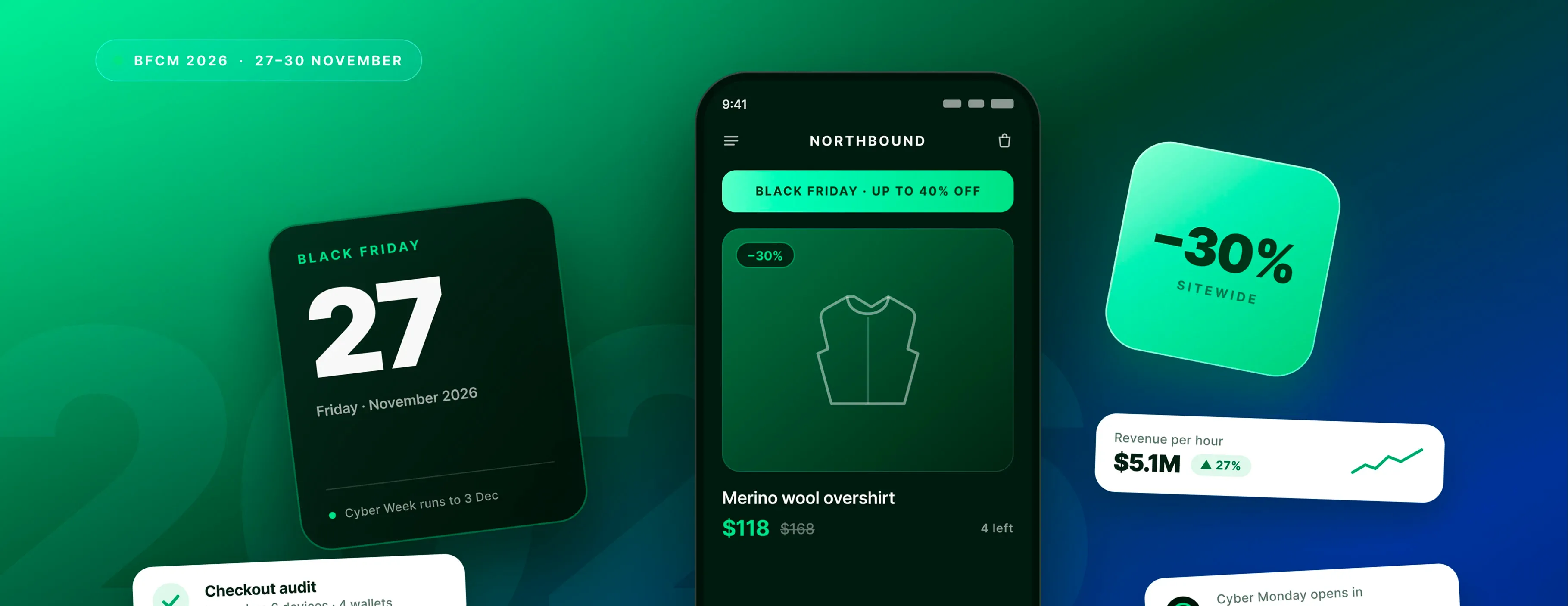
Black Friday lands on 27 November 2026. If you are reading this in early August, you have about 13 weeks, and it disappears faster than it looks once you count backward through supplier lead times, a checkout audit, ad account warm-up, and a code freeze.
This Shopify Black Friday guide is split into two jobs, each running at the same time. The technical one is making sure your store survives the traffic, and your checkout does what you think it does. The marketing one is deciding what you sell, to whom, and in what order.
Stores that miss their number rarely miss it on the offer. They miss it because something broke quietly, or because the whole plan got assembled in the third week of November with no time left to test any of it.
Last year set the bar high. Shopify Black Friday generated $14.6 billion over the BFCM weekend, up 27% from 2024, with more than 81 million customers buying from Shopify-powered brands. Average cart price landed at $114.70, and sales peaked at $5.1 million per minute at 12:01 p.m. EST on Black Friday.
Keep reading further to build a proper and profitable campaign.
Black Friday and Cyber Monday (BFCM) 2026 dates and how much runway you have
Thanksgiving falls on the fourth Thursday of November, which fixes everything else:
- Thanksgiving – Thursday 26 November
- Black Friday – Friday 27 November
- Small Business Saturday – Saturday 28 November
- Cyber Monday – Monday 30 November
- Cyber Week – 27 November to 3 December
Put these in the shared Shopify Black Friday strategy plan now, along with your carrier cutoffs and your code freeze date. Half the coordination problems in November come from two teams working under different assumptions about when the sale actually starts.
The season is six weeks, not four days
Treating BFCM as a four-day event is the most expensive planning error available to you. Shoppers start earlier every year, and the platforms have followed them. Adobe recorded $11.8 billion in US online spend on Black Friday 2025, up 9.1% year over year, and Cyber Week as a whole brought in $44.2 billion, up 7.7%. It was the second season running where Black Friday grew faster than Cyber Monday, which tells you demand is moving forward in the calendar rather than concentrating on the Monday.
In practice, your season looks more like this:
- Early November – teasers and early-bird offers
- 11 November – Singles' Day, a real pre-Black Friday spike for global sellers
- Mid-to-late November – VIP early access and loyalty activations
- 27–30 November – the peak weekend
- 1–3 December – Cyber Week tail, then the handoff to Christmas
A working 12-week timeline
Twelve weeks is enough if you use it to prepare your Shopify Black Friday strategy. Here is roughly how the phases fall. September is foundation work:
- targets
- last year's data
- inventory forecast
October is the technical audit and the offer architecture, because both need time to fix things you find. Late October into mid-November is creative and campaign build. Two weeks out, you rehearse. One week out, you freeze, then you run the weekend and spend the following month on retention.
Phase | Window | Technical focus | Marketing focus |
|---|---|---|---|
Foundation | September | Inventory forecast, systems inventory | Targets, last year's data |
Audit | October | Checkout, load test, schema, apps | Offer architecture, segments |
Build | Late Oct – mid Nov | Landing pages, page speed | Creative, email sequence, ad warm-up |
Rehearsal | Two weeks out | Soft launch, monitoring setup | Support macros, list test |
Freeze | One week out | Code freeze, final QA | Schedule everything |
Live | 27–30 Nov | Monitor and respond | Budget shifts, real-time offers |
Retention | 30 days after | Postmortem | Post-purchase flows, gift window |
If you are starting in late October instead, a tight four-week plan executed on schedule beats a twelve-week plan crammed into two. Cut the nice-to-haves and do not cut the checkout audit while preparing for Shopify Black Friday and Cyber Monday.
How to set up a Shopify store for BFCM: technical preparations
This is the part that gets skipped because nothing appears to be wrong. Everything you do on the marketing side drives traffic, the technical work decides whether that traffic turns into orders.
Test every payment method on every device
The very first step when you get ready for Black Friday is to open your own store as a customer and buy something. Then do it again on a different device.
Mobile is where this matters most. On Cyber Monday 2025, 57.5% of online sales came through a mobile device, representing $8.2 billion in spend, and mobile share crossed 60% for the first time on Thanksgiving at 61.6%. Your desktop checkout being fine tells you very little.
Work through the combinations that actually break:
- Accelerated checkout on iOS Safari and Android Chrome
- The in-app browsers inside Instagram and TikTok, which behave differently from the standalone apps
- Every wallet you offer, including the ones you enabled two years ago and forgot about
- Guest checkout, since forcing account creation at peak costs you orders
Shop Pay deserves attention if you have it. Shopify reported a 39% year-over-year increase in Shop Pay sales during BFCM 2025, with 32% of all orders placed using it.
Match BNPL options to each region
Buy now, pay later is no longer a fringe payment method at peak. On Cyber Monday 2025, it drove $1.03 billion in US online spend, up 4.2% year over year, and 79.4% of those transactions happened on mobile.
The failure mode here is regional. A Black Friday Shopify shopper in the UK who sees a US-only installment provider, or no installment option at all, abandons at the price-shock moment. Check what renders for each market you sell into, not just your home market.
If you are unsure whether your current setup covers the regions you actually sell to, our breakdown of Shopify payment gateways walks through the trade-offs by market.
Audit your discount and promo code logic
Promo code bugs are a classic disaster when preparing for Shopify Black Friday/Cyber Monday because they only surface under real conditions.
Test the combinations you intend to allow and the ones you intend to block:
- Stacking two codes, and stacking a code with an automatic discount
- Codes applied to subscription products
- Codes applied against gift cards
- Tiered thresholds firing at the right cart value
- What happens at the boundary, when a cart sits one cent under a free-shipping threshold
Write down the intended behavior first, then test against that document. Testing without a spec just tells you what the code does, not whether it is right.
Check shipping rates and error states
Two things here, and the second one gets ignored.
Rates first. Confirm they render correctly for international addresses, territories, and any zone where you have custom logic. Cross-border volume is not marginal. If you sell into multiple markets, Shopify internationalization work is worth auditing before the traffic arrives, not after.
Then error states. What does a shopper see when their card declines, when a code has expired, when an address fails validation? Vague or missing error messages send people away silently, and you never see the abandonment in a report that tells you why.
Load-test the storefront against last year's peak
Shopify's core infrastructure holds up under load, though your store still might not.
Run a load test against staging, and aim for several times your highest traffic day from last year. If you grew 30% since then and BFCM amplifies that, your historical peak is a floor rather than a target. If page load times are already borderline outside peak season, testing will only confirm it. Shopify speed optimization done in September buys you headroom that no amount of monitoring in November will.
As a top-up, you can also read DigitalSuits' guide on improving Shopify store performance that walks through where the easy wins usually are.
Identify the scripts and apps that fail under load
When something breaks during BFCM, it is usually one of a short list of suspects. Custom theme JavaScript is first. Third-party widget scripts are second, particularly the ones that block rendering while they wait for a response. Third are apps that hit rate limits on their own backends, which means your store is fine, but the app powering your loyalty program has stopped answering.
When preparing for Shopify Black Friday and Cyber Monday, review your app list and remove any apps you won't use during the sale. Every active app adds page weight and one more thing that can fail. If an app is load-bearing for your checkout logic, find out now whether its vendor has published capacity guidance for peak season.
Optimize mobile speed on key pages
Given that most of your BFCM orders will come from phones, mobile speed is a revenue line rather than a technical nicety.
Focus on the pages that carry the traffic:
- Product pages – image weight, above-the-fold rendering
- Collection pages – lazy loading, filter responsiveness
- Cart – anything blocking the path to checkout
- BFCM landing pages – usually the heaviest, because they get built last and reviewed least
Defer non-critical scripts. Compress images properly rather than relying on the theme to handle it. Then measure on a real mid-range phone on a normal connection, not on your laptop.
If you want the fixes in more detail, we go through them in our free quick guide on mobile readiness for Shopify.
Confirm Scripts have moved to Functions
This one has changed since last year, and it is urgent for the Shopify Black Friday strategy plan.
Shopify Scripts was sunset on 30 June 2026. Any Scripts still published on a store have been deactivated and no longer function, and editing was already frozen from April.
So this is no longer a migration deadline. It is a diagnostic question: did anything on your store stop working five weeks ago that nobody noticed?
Scripts failed silently, no error, no failed order, no alert. If your store ran custom discount logic, shipping rate filtering, or payment method sorting through the Script Editor and the migration was not completed, that logic has simply not been running since 1 July. A promotion that should apply at checkout does not. A shipping option you meant to hide is visible. Nobody files a support ticket about a discount that quietly stopped existing.
Check it this week:
- Open your Shopify admin and look for any remaining Script Editor references
- Compare current checkout behavior against what your documentation says should happen
- Test the specific rules you know were built as Scripts
Test integrations and transactional email
List every integration touching your storefront, checkout, fulfillment, or customer data. Then test each one against staging.
The usual breakage points are subscription apps, loyalty programs, custom shipping rate calculators, and inventory sync with a 3PL or ERP. Anything with a queue can back up under volume, and anything with a webhook can drop messages. Complex Shopify integration setups deserve a dedicated test pass rather than a spot check.
Transactional email needs its own verification. An order confirmation that does not arrive becomes a support ticket, and at four to five times normal ticket volume, that is a cost you can avoid. Send yourself a real order and confirm the whole sequence lands, including the shipping notification.
Audit your structured data
Search engines and AI assistants both need clean markup to surface your products correctly during BFCM queries.
Check the essentials across product and collection pages:
- Product schema – complete and matching what is on the page
- Offer schema – price, availability, and priceValidUntil, which matters when your prices change for the sale
- BreadcrumbList – navigation context
- FAQ Page – on pages where you answer real questions
The priceValidUntil field is the one that catches people. Set it to the wrong date, and your sale price either expires early in search results or lingers after the sale has ended.
Structure deal pages for answer engines
Shoppers now ask an assistant for the best deals on a product rather than typing a query and scanning links. That is not a projection anymore. Making a page extractable is different from making it rank:
- Lead with a direct answer near the top of the page
- Use question-shaped headings that match how people ask
- Include a data table where you are comparing things
- Add FAQ markup
- Keep the page updated, because staleness is a filter
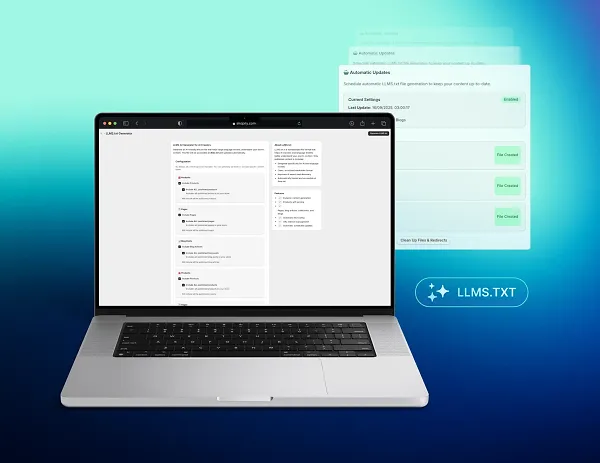
The mechanics overlap heavily with agentic commerce readiness, which we covered in more depth in our agentic commerce preparation checklist. If you want to control which pages AI crawlers prioritize, try llms.txt generator for Shopify by DigitalSuits, which handles that side.
Publish BFCM pages by mid-October
New pages rarely rank quickly, which makes publication date a technical decision rather than a marketing one.
As part of your Black Friday ecommerce strategy, get your BFCM hub and category landing pages live by mid-October, so they have time to be crawled and indexed before the traffic arrives. Submit an updated sitemap. Request indexing on the specific URLs you care about.
Building a page on 25 November and expecting organic traffic from it is a plan that has never worked.
Forecast inventory at SKU level
Category-level forecasts hide the stockouts that actually cost money during Black Friday for Shopify store owners. Your BFCM revenue concentrates in a handful of products. Forecast those individually, using last year's sale period as the baseline rather than an average month. In Shopify Analytics, the ABC analysis report and the Sales by Product report over your previous BFCM window will tell you which SKUs to protect.
Then hold buffer stock on those specific items. The maths is uncomfortable but simple: carrying excess inventory for two months costs less than selling out of your best product on the Friday, because a stockout costs you the revenue and the new customer who would have bought it.
Lock supplier, 3PL, and carrier cutoffs
Get dates in writing, from everyone, in September.
- Suppliers – inbound production and shipping lead times
- 3PL or warehouse – receiving cutoffs, which typically lock in mid-October
- Carriers – last-order dates for each service level
- Customs – cross-border cutoffs, which are earlier than most merchants assume
Publish your last-order dates on-site by mid-November, prominently. Shoppers who cannot tell whether an order will arrive in time frequently resolve that uncertainty by not ordering.
Set returns rules for the sale period
Returns spike after BFCM, and the policy you write in August determines how much that costs you.
Decide three things now:
- Whether you extend the returns window to account for slower peak shipping
- Whether sale items are treated differently from full-price ones
- Whether you cover return shipping during the sale period
Then write it in plain language on the product page, not buried in a policy document. A clear returns rule reduces hesitation before checkout and reduces disputes afterward. An ambiguous one does the opposite of both.
How to set up a Shopify store for BFCM: marketing preparations
The technical track protects the sale, and this track creates it.
Lock your four numbers first
Before you design a single offer, write down four figures and share them with the team:
- Revenue target for the weekend
- AOV target you want to hold or grow
- New customer count, since acquisition costs drop during BFCM
- Margin floor, the discount depth you will not cross
The margin floor is the one that gets skipped, and it is the one that stops volume from becoming a loss. Set it against landed cost, discount, shipping subsidy, payment fees, and your expected return rate together. Any single one of those in isolation will flatter the number.
Use last year's data to make these real rather than aspirational:
- Which SKUs converted
- Which discount depth actually moved units
- Which channels produced revenue rather than sessions
Discount on a descending curve
Depth is a weaker lever than most merchants believe. The structure that works runs downward, and your strongest offer goes to VIP early access first, then holds or steps down through the weekend.
Doing it backward has a cost that arrives next year. If you open at 15% and jump to 25% on Cyber Monday, you have taught every repeat customer that waiting pays, and they will wait in 2027.
Structures worth testing for Shopify Black Friday/Cyber Monday:
- Sitewide percentage – simplest to communicate, easiest to measure
- Tiered by cart value – pushes AOV without deepening the headline discount
- Bundles – pairs a bestseller with complementary products at a set price
- Free-shipping threshold – with a visible progress bar, one of the more reliable AOV levers
- VIP early access – banks revenue before the Black Friday noise
- Walk-away offers – a time-limited, personalized deal at exit intent
Segment by customer type while you are at it. A first-time visitor, a repeat buyer, and a cart abandoner should not all see the same thing.
Build segments before creative
Build the segments first, because they determine how many versions of each asset you need.
The list to have ready in your ESP:
- Recently engaged subscribers
- Lapsed subscribers, for re-engagement
- Last year's BFCM buyers
- VIPs by lifetime spend
- Browse abandoners from the past two weeks
- Cart abandoners from the past two weeks
- Subscription customers, who need their own cadence
Sending one campaign to your whole list is the most common way to leave email revenue unclaimed. Each of those groups responds to different messaging and different timing.
Pre-write and schedule the whole email sequence
To see the gains out of your Black Friday ecommerce strategy, write every email in late October and schedule it, all of it.
The sequence usually runs:
- teaser
- VIP early access
- Black Friday launch
- mid-weekend social proof
- Cyber Monday urgency
- a close or extension
Add your abandonment flows on top, with multiple messages rather than one.
The reason to finish this early is not efficiency. It is that the weekend needs to be spent watching dashboards and moving budget, not writing subject lines at 11 pm on the Saturday. Teams that write during the weekend make worse decisions about everything else.
Warm the ad accounts before peak spend
Raise spend gradually through late October and early November so the platforms have current signal on your audience.
Cold-starting an account on Black Friday morning at ten times your normal budget wastes the first day or two while the algorithm learns. That is the most expensive learning period in your calendar.
Budget for the fact that costs rise across the weekend as everyone bids at once. Plan to move spend toward whatever is converting rather than committing it all in advance.
Build enough creative to rotate
A single creative running for four days during Black Friday and Cyber Monday sale fatigues, and you will watch performance decay without being able to do anything about it.
Build at least three variants for each format and placement. Lock everything by roughly two weeks out. The most common reason teams burn out before the weekend starts is trying to finish creative during BFCM week.
Keep the BFCM collection live year-round
Most merchants follow a simple Shopify Black Friday strategy plan. They build a BFCM collection in November and unpublish it in December. Then they rebuild it next year and start from zero. shopify black friday strategy plan
Keeping a permanent, indexed deal collection means the URL accumulates authority instead of resetting annually. It is the page you point every email, ad, and social post at, and it is the page search engines and AI assistants have already crawled by the time somebody searches your brand plus "Black Friday."
Out of season, use it for clearance or ongoing offers rather than leaving it empty.
Build the landing page around one offer
A landing page trying to communicate five offers communicates none of them and will be a failing strategy for Black Friday sale.
Pick the lead offer and build the page around it:
- Above the fold – the offer, stated plainly, in large type
- Urgency – a countdown or a stated end date
- Trust – review count, or a guarantee
- Products – your top SKUs, not your full catalog
- One CTA – to the collection or the hero product
Build separate pages for your main hub, your top two or three categories, and gated VIP access. Then check each one on a phone, because that is where most of the traffic will land.
If your pages convert below where you would expect outside peak season, that gap widens under BFCM traffic. Shopify CRO work in September compounds across the whole weekend.
Use badges, bars, and timers with restraint
These elements work, and they stop working when you stack them. An announcement bar, a countdown timer, a free-shipping progress bar, a low-stock badge, and an exit popup all competing on one page produces noise rather than urgency. Pick the two that carry the most information for your offer.
Keep scarcity honest. "Only 3 left" when there are 300 is a short-term conversion trick with a long-term trust cost, and shoppers comparing three stores at once notice inconsistency faster than you would like. Where a product genuinely sells out, show alternatives rather than a dead end.
Black Friday ecommerce tips: rehearsal and freeze week
Two weeks out, you rehearse, and one week out you freeze Black Friday preparations. This fortnight is where both tracks meet and get tested together before anything gets locked down.
Soft launch two weeks out
Send real BFCM creative with real promo codes through the real checkout to roughly 10–20% of your active list.
Then measure conversion rate, AOV, page load times, and support ticket volume. This is where broken discount logic, missing payment methods, slow product pages, and email rendering problems surface while there is still time to fix them.
A soft launch that finds nothing is still worth running. A soft launch you skip is how you discover a promo code bug on Friday morning.
Stress-test support
Support volume during Black Friday and Cyber Monday sales typically runs several times higher than normal, and the questions are predictable.
Pre-write macros for:
- Shipping cutoff dates
- Promo code troubleshooting
- Order modification windows
- Returns on sale items
- Stockout messaging and alternatives
Then test that your help desk, automated replies, and live chat hold up. If you are considering automating the first line of response, AI chatbot development should be completed well before the weekend rather than switched on during the weekend.
Monitoring and alerting
Set up dashboards before you need them, with a named owner for each.
- Site uptime and page response time
- Shopify platform status
- Checkout conversion rate against your baseline
- Inventory levels on hero SKUs, with alerts at a set threshold
- Support ticket volume by category
- Email and SMS deliverability
An alert with no owner is a notification nobody acts on. Write down who responds to each one and who they escalate to.
Code freeze and final QA
By one week out:
- no theme changes
- no app installations
- no checkout customizations
Every change carries some risk of introducing a regression, and the cost of finding a regression over the weekend is far higher than the cost of waiting 8 days to ship a feature. Document the freeze policy, name who can approve an exception, and hold the line.
Then run the full purchase flow one more time. Mobile and desktop, every payment method, multiple shipping destinations, promo code combinations, subscriptions, gift cards, account creation. Take a screenshot of the working state so your team has a reference for what "correct" looks like if something goes wrong.
Running the weekend during Black Friday in your Shopify store
Most dashboards show too much. These five Black Friday ideas for an ecommerce business are things you can act on:
- Revenue per hour against forecast – two consecutive hours more than 25% behind means diagnose, not wait
- Conversion rate against baseline – a drop points at checkout, creative, or a traffic-source mismatch
- Page response time at p95 (what your slowest 5% of visitors get) – spikes here predict checkout failures before they show in revenue
- Support tickets by category – a surge in one category tells you exactly what is broken
- Inventory burn on hero SKUs – if something is selling three times faster than forecast, move creative away from it before it sells out
Intervention playbook
Almost every BFCM problem falls into one of four categories:
- checkout breakage
- ad performance collapse
- support overflow
- a stockout
Assign an owner to each one before the weekend and write down what that person is authorized to do without asking, and who they escalate to when the fix is bigger than that.
After Black Friday and Cyber Monday (BFCM)
You have just acquired a large group of customers at unusually low cost. What happens next determines whether they were worth acquiring.
Build the sequence before the weekend so it fires automatically:
- Order confirmation, immediately
- Product education or setup content, a few days in
- Review request, timed to land after delivery
- Replenishment or cross-sell, around three weeks
- Loyalty or VIP invitation for anyone who qualifies
The target is a second purchase inside 90 days. A one-time BFCM buyer is a discount you paid for. A repeat buyer is a customer.
The December gift window
Your BFCM buyers are the warmest audience you have between 1 and 22 December, and most stores ignore them because they just bought.
Segment them separately and run a gift-focused campaign:
- gift bundles
- gift cards
- price bands that work as presents
Somebody who bought from you last week already trusts you enough to transact. And that trust is the hard part of Black Friday and Cyber Monday sales.
Review collection
BFCM generates more review opportunity than any other period, and most stores under-collect it. Automate requests timed to occur after the product has arrived and been used, but the purchase is still recent. Ten to fourteen days after delivery is the usual window. Reviews collected in December serve as social proof that converts traffic for the next 12 months, including next year's BFCM.
Mistakes that cost the most when preparing for Black Friday & Cyber Monday in 2026
Five patterns repeat, and all of them are avoidable in August.
- Starting in November. The compressed timeline forces shortcuts, and those shortcuts always come from the technical audit and the rehearsal, which are the two things that protect revenue.
- Racing to the deepest discount. Category discount peaks last year ranged from 17% to 31%. Going deeper than the market does not buy proportionally more attention, it just costs margin.
- Skipping the soft launch. Every problem the rehearsal would have found still exists on the Friday, except now it is expensive.
- One campaign for the whole list. Your VIPs, your lapsed subscribers, and your cart abandoners need different messages at different times.
- Treating December as recovery. The month after BFCM is the strongest retention window you get all year. Stores that treat it as a rest period pay full price to reacquire the same customers in 2027.
Extra Black Friday tip for Shopify stores: assuming your checkout logic still works. Scripts stopped executing on 1 July without warning anyone. If nobody has checked, that is your first task, not your last.
Final thoughts
Shopify Black Friday 2026 tips have three things that are worth doing this month, before anything else competes for the time:
- Check whether your Scripts logic survived the June sunset
- Lock your SKU-level inventory forecast while suppliers still have capacity
- Publish your BFCM collection so it has time to get indexed
Everything else in this Shopify Black Friday & Cyber Monday strategy guide can be moved by a week or two at little cost. Those three cannot, because each one depends on a deadline you do not control.
Shopify BFCM 2026 rewards preparation that is unglamorous and early. The stores that post a record weekend in November will mostly have done their difficult work in September and October, when there was still time to find out what was broken.
If you want an external read on where your store stands or are looking for extra Black Friday tips for Shopify stores, contact our team to run readiness reviews throughout the autumn. We're an official Shopify Plus partner, so if something in your store needs fixing or building before BFCM, our team can take it on.
Written by
 Yurii ZablotskyiContent Marketing Specialist
Yurii Zablotskyi is a passionate content writer and storyteller with a strong marketing background, focusing on marketing, sales, and technology, turning complex ideas into valuable content.
Was this helpful?
0No comments yet