









The native Shopify inventory tools are solid for getting started. But they weren't built for complexity. As your catalog expands and sales channels multiply, you are likely to face serious issues. Stockouts happen when products are actually sitting in your warehouse. Customers buy items you don't have. Your spreadsheets are multiplying. Learn how to prevent this with tried-and-true Shopify inventory management apps.
10 best Shopify inventory management apps
We've analyzed the trending inventory management software for Shopify and summarized the findings in the list below. All apps get constant updates with new capabilities to match the evolving business needs. All are highly rated by users.
- Prediko Inventory Management
- syncX: Stock Sync
- Katana Cloud Inventory
- SKULabs Inventory and Shipping
- Fabrikatör Inventory Planner
- QuickBooks Sync by MyWorks
- Inventory Management ‑ Assisty
- 506 EasyScan SKU & Barcode
- Syncio Multi Store Sync
- Bundles.app ‑ Inventory Sync
If you are looking for even more tools to level up your store, everyday operations, and sales, download our FREE guide and explore over 30 top Shopify apps for various purposes in detail.
Prediko Inventory Management
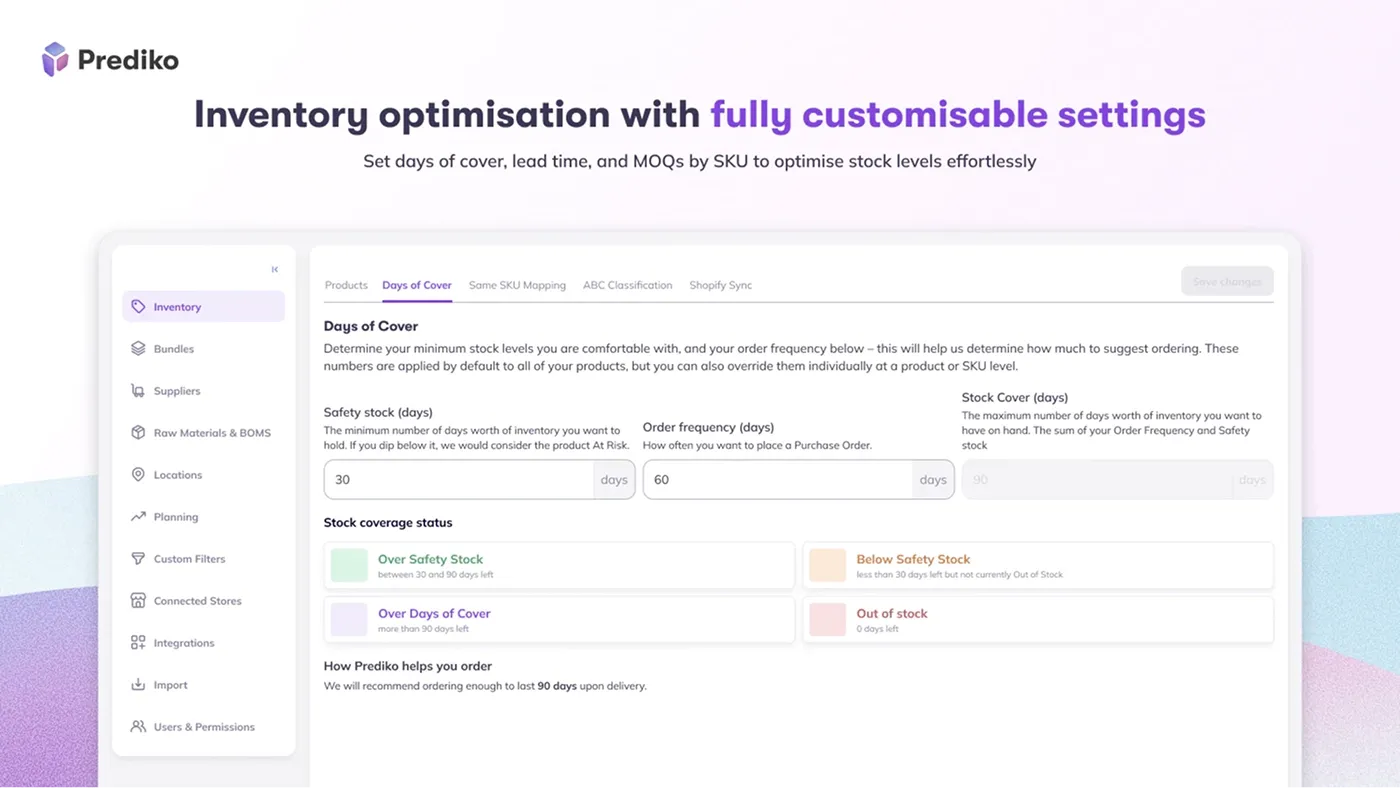
Prediko, opening up today's list of the best inventory apps, combines AI-powered ecommerce forecasting with practical inventory planning tools. It is designed specifically for growing Shopify merchants. The app analyzes your sales history to predict demand by product, SKU, and season, and sends corresponding alerts. According to users, the reporting alone justifies the investment.
Key features:
AI-powered demand forecasting to plan sales by product, SKU, and season
Easy reordering with smart alerts and a dynamic buying table
Creating, tracking, and bulk-editing of product orders
Full synchronization with a warehouse management tool
Exporting CSV/PDF with over 100 filters and over 20 templates
Pricing:
Free to install
14-day free trial
Starter – $49/month
Scale-up – $119/month
Growth – $199/month
syncX: Stock Sync
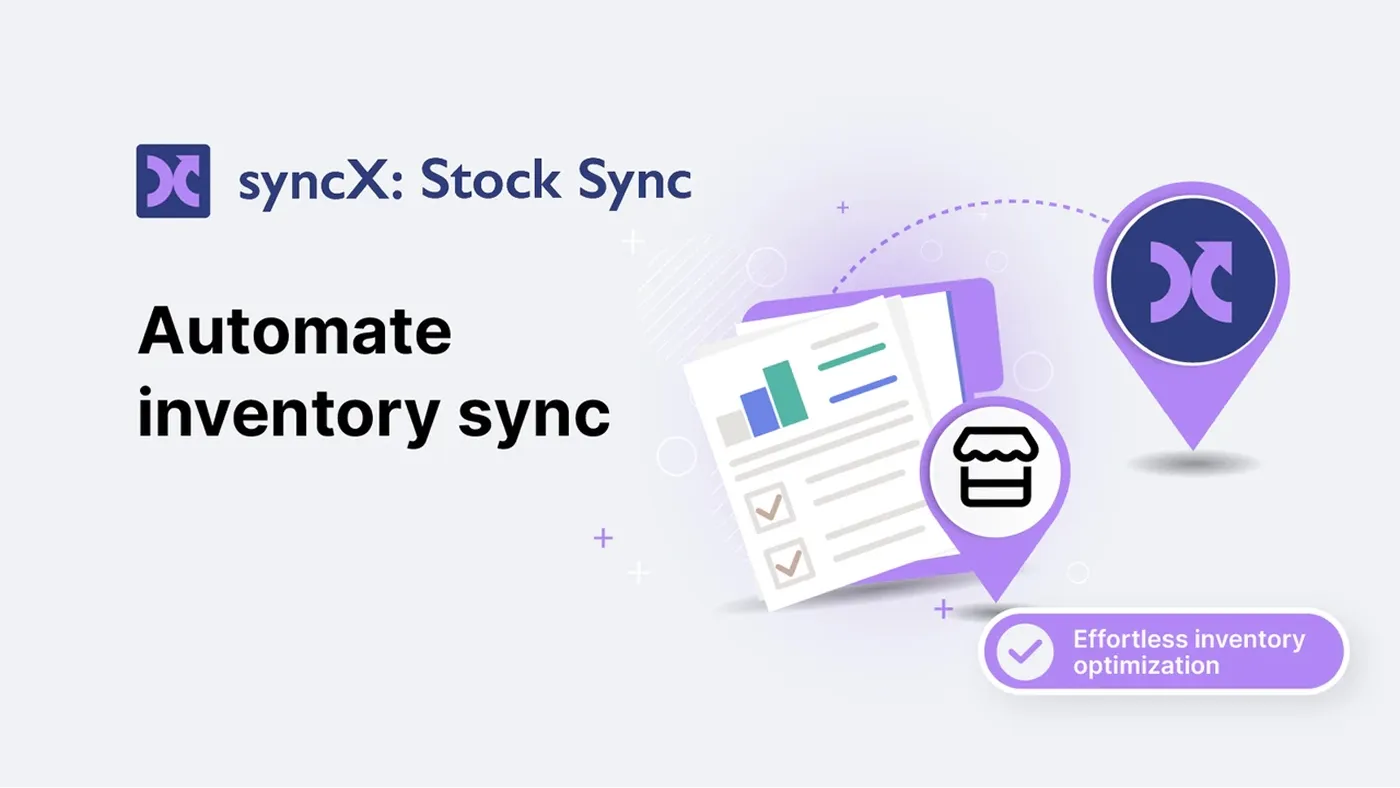
This stock management app for Shopify specializes in automating inventory updates from multiple suppliers and sources. The syncX app is particularly valuable for merchants managing extensive catalogs with frequent stock changes. The app's power comes from its flexibility and automation capabilities. Yet that same flexibility means initial setup requires some technical understanding.
Key features:
Automation of product detail updates, inventory levels, and product migration
Setting quantity rules to prevent overselling and ensure stock accuracy
Easy updates with the removal of discontinued products from the store
Custom data fields for adding extra product information, such as dimensions, materials, etc.
Compatibility with various formats, including CSV, XML, FTP, ERP, and WMS
Pricing:
Free plan available
Basic – $5/month
Pro – $15/month
Business – $25/month
Katana Cloud Inventory
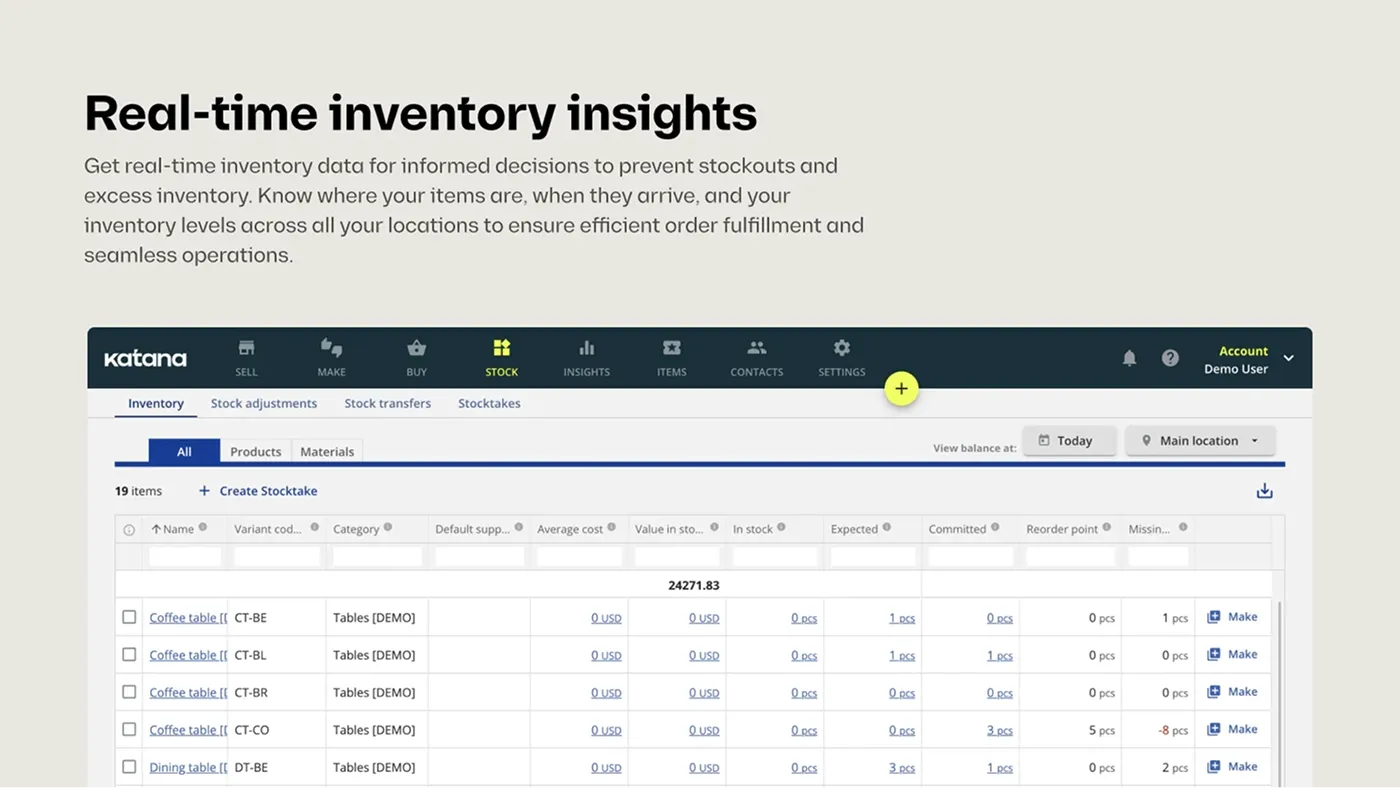
Katana is built for manufacturers and brands that assemble finished goods from components. It offers the focused features you won't find in a standard inventory app for Shopify. Due to the complex setup, a merchant is assigned a specialist who helps configure the system for their workflow.
Key features:
Tracking available products in real time across multiple locations
Issuing purchase orders based on precise requirements and frequency
Centralizing fulfillments across numerous sales channels
Complete process management covered, from manufacturing to scheduling
Integrations with accounting software
Pricing:
Free plan available
Standard – $399/month
Professional – $899/month
Professional Plus – $1999/month
SKULabs Inventory and Shipping
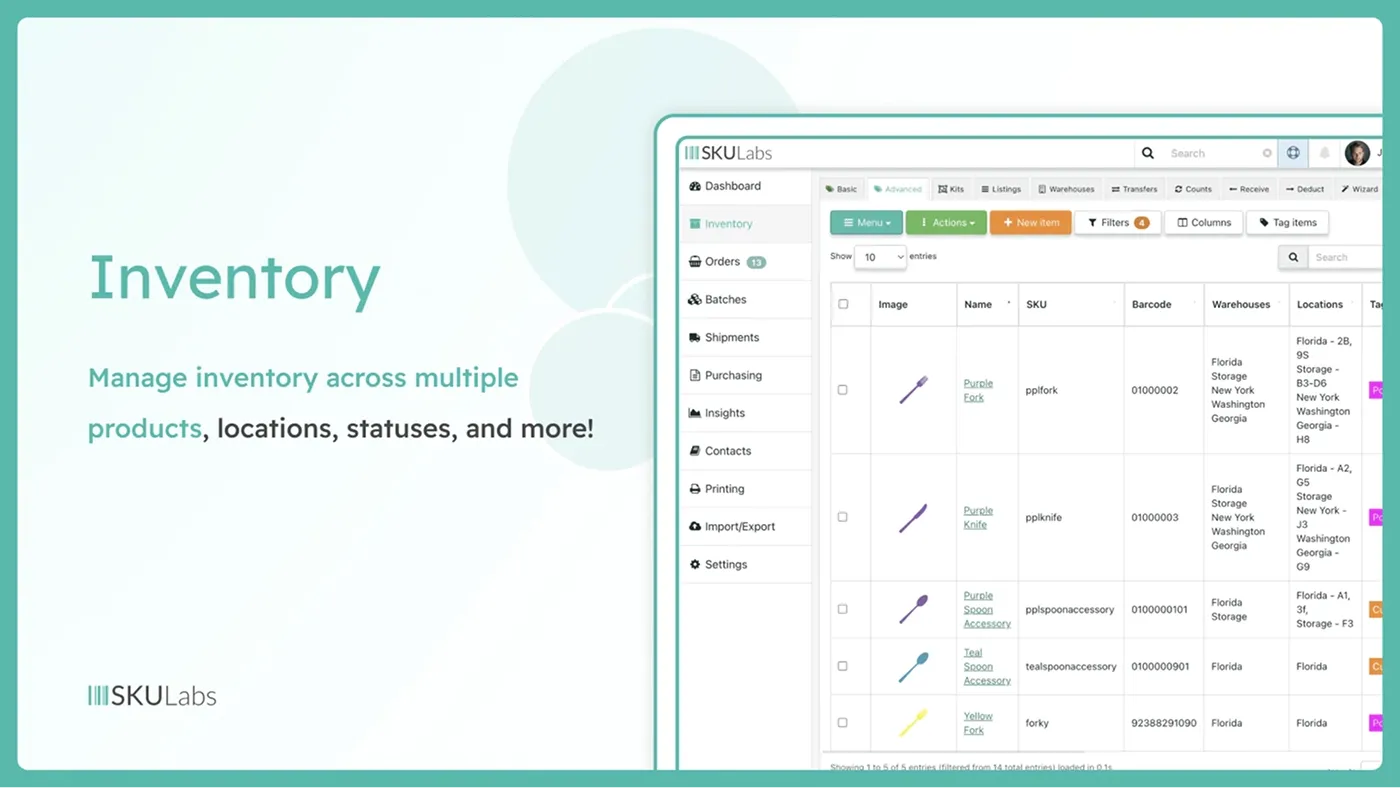
SKULabs functions as a complete warehouse management system. It was designed for businesses that need barcode-based accuracy and efficient fulfillment workflows. The app can handle complex scenarios but comes with a steeper learning curve. Among other things, the support team is open to feature customizations and workarounds for unique business requirements.
Key features:
Real-time inventory control and synchronization
100% accuracy with advanced fulfillment processes (pick, pack, ship)
Barcode scanning and multi-location warehouse management
Management of multi-carrier shipping, purchasing, receiving, and stock control
Printing of shipping labels at discounted rates
Pricing:
Starter plan – $299/month
Basic plan – $499/month
Growth plan – $799/month
Pro plan – $999/month
Fabrikatör Inventory Planner
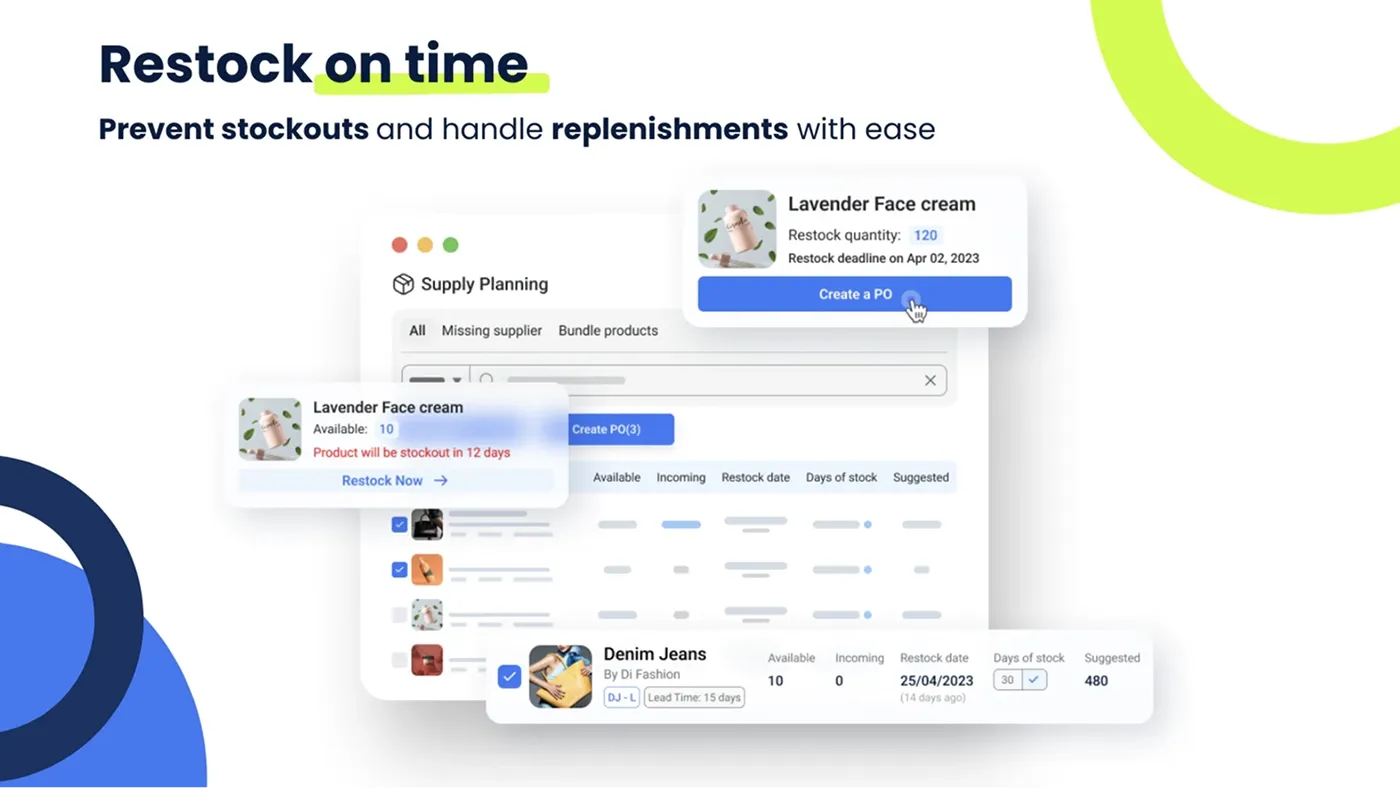
Fabrikatör was designed for brands struggling with spreadsheet chaos and frequent stockouts. Hence, its main goal was to make order management straightforward, collaborative, and accurate. The app analyzes your sales patterns at the SKU level to generate demand forecasts and share restocking recommendations.
Key features:
Planning inventory with SKU-level forecasts, alerts, and insights across multiple locations
Creating, automating, and tracking POs with costs, suppliers, and due dates
Collaborative planning to align inventory with marketing and campaign calendars
Detailed inventory reports with filters to analyze stock health and sales
Easy integrations with multiple accounting and marketing tools
Pricing:
Free to install
14-day free trial
Seed – $99/month + $0.75 per backorder (with 50 free backorders)
Scale-up – $149/month + $0.75 per backorder (with 50 free backorders)
Growth – $199/month + $0.75 per backorder (with 50 free backorders)
QuickBooks Sync by MyWorks
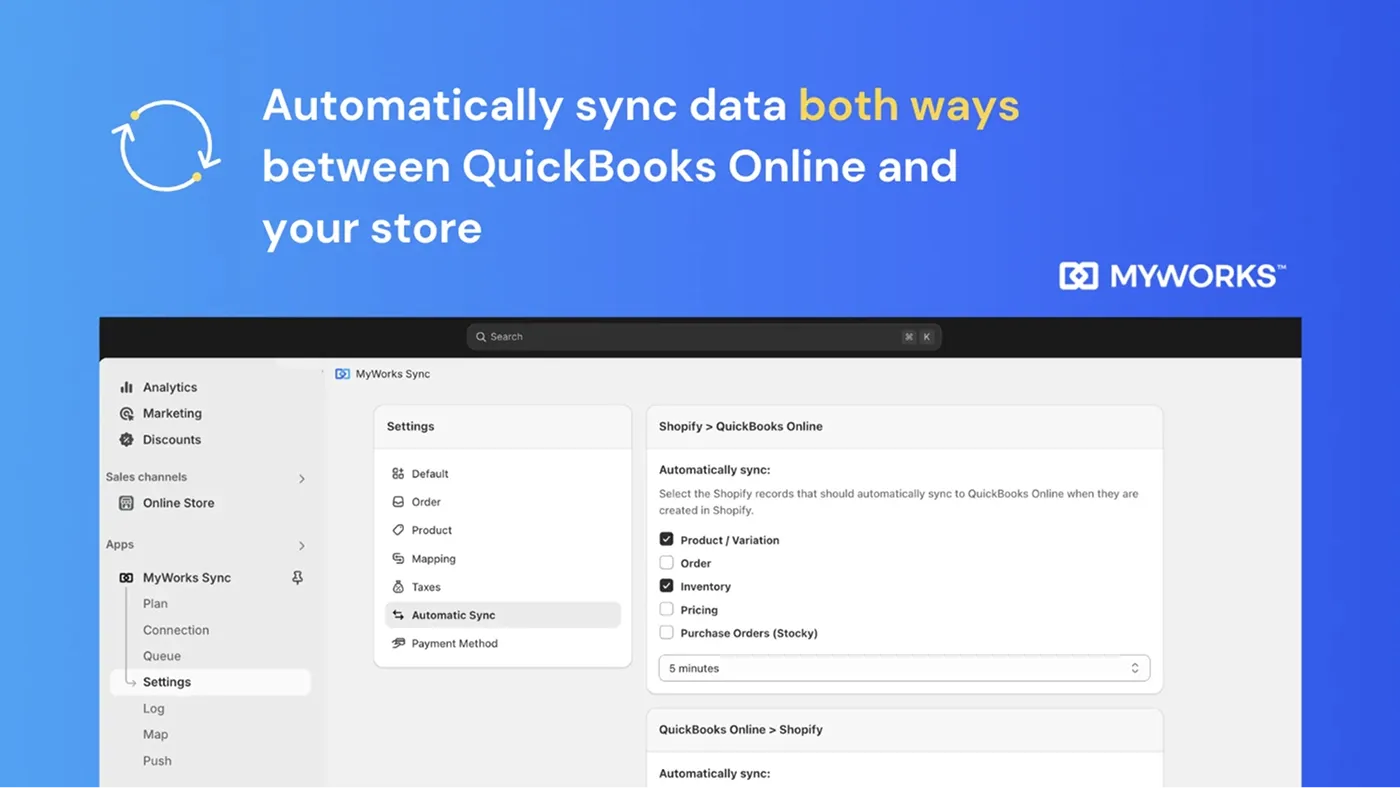
This app syncs orders, customers, inventory levels, payouts, and purchase orders bidirectionally, ensuring your accounting records match your store data without manual reconciliation. This enables merchants to automate the tedious data entry that typically consumes hours each week for growing businesses.
Key features:
Seamless synchronization of all data with QuickBooks
Processing individual orders, summaries, payouts, inventory, etc.
Advanced features like custom field mapping and purchase order syncing
Easy start – the installation and setup take several minutes
Pricing:
Free launch
Rise – $24/month
Grow – $49/month
Scale – $89/month
Inventory Management ‑ Assisty
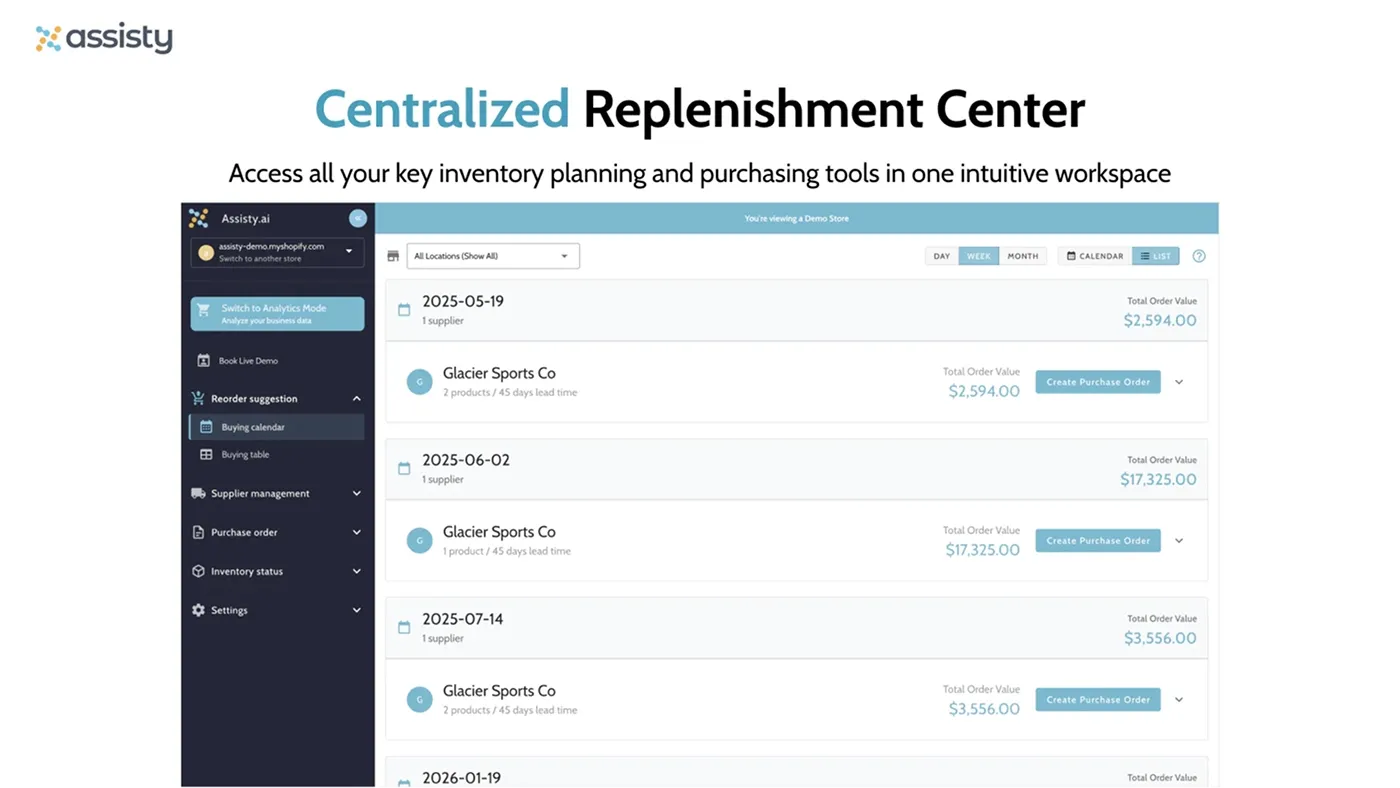
We can sum up Assisty's positioning as "an AI-powered tool that makes inventory management for Shopify free of guesswork." This app makes sophisticated inventory planning accessible to merchants without dedicated supply chain expertise. It's especially valuable for brands that experience their first real inventory challenges as they scale.
Key features:
AI-powered insights in real-time and intelligent automation
Reorder suggestions on what and how many units to reorder
Automating purchase orders with auto-creation flows and defined rules
Live tracking of inventory health: stock, trends, and incoming inventory
Centralized replenishment across suppliers and store locations
Pricing:
Free plan available
14-day free trial
Basic Shopify – $19/month
Advanced Shopify – $59/month
Shopify Plus – $239/month
506 EasyScan SKU & Barcode
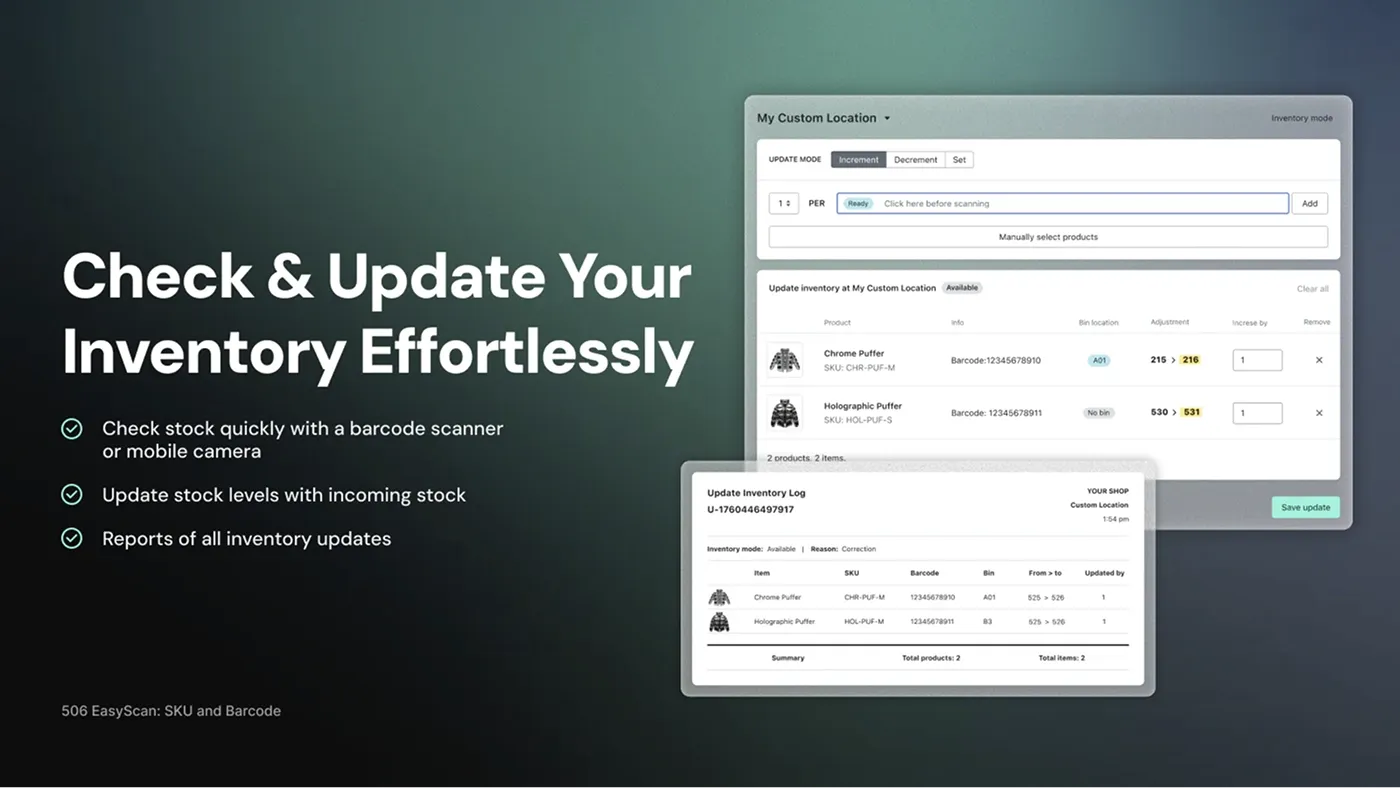
EasyScan specializes in barcode-based warehouse operations. It turns the picking, packing, and inventory-counting processes into scan-driven workflows that virtually eliminate shipping errors. The app is highly flexible for customization and helpful for businesses struggling with shipping errors, slow fulfillment, and chaotic warehouse operations.
Key features:
Barcode label management to check, transfer, and update warehouse inventory
Comes with an SKU generator, a barcode printer, and a label printer
Printing custom packing slips, inventory reports, and product barcodes
Multi‑label barcodes to track your inventory for easier picking and fulfillment
Compatible with all barcode scanners
Pricing:
Free plan available
10-day free trial
Basic – $9.99/month
Standard – $39.99/month
Advanced – $79.99/month
Pro – $129.99/month
Syncio Multi Store Sync
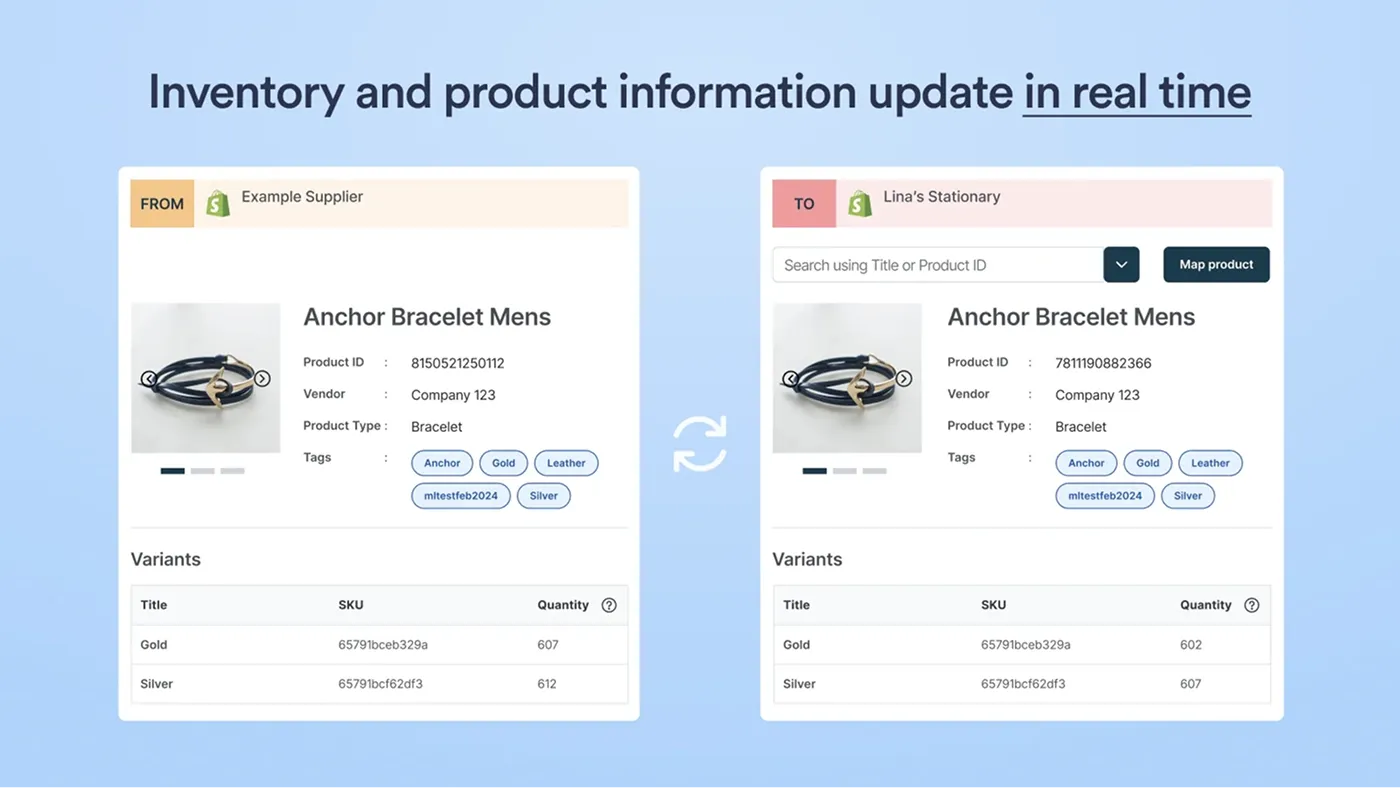
Merchants who operate multiple Shopify stores or manage supplier-retailer relationships will find Syncio the best app for inventory. It keeps inventory synchronized across separate storefronts: when a product sells in one store, it adjusts stock levels everywhere it's listed. Syncio simplifies complex scenarios like international expansion and wholesale operations.
Key features:
Inventory sync and real-time stock adjustment via SKU or barcode
Import and synchronization of all product fields: price, tags, images, descriptions, etc.
Synchronizing order information for fulfillment to create revenue splits and payouts
Syncio Marketplace for finding and connecting with new suppliers
Flawless multi-location inventory support
Pricing:
Free plan available
Starter – $19/month
Traction – $29/month
Growth – $39/month
Bundles.app ‑ Inventory Sync

This store inventory app solves a specific problem that trips up many Shopify merchants: selling product bundles or kits without overselling the individual components. The app's longevity (some merchants have used it for over five years) speaks to its reliability for businesses where bundling is core to their model.
Key features:
Quick automated synchronization of inventory
Easy management of multipacks, curated sets, tiered pricing, and more
Opportunity for customers to build their own bundles, picking the preferred variants
Discount codes can still be used in the checkout
Easily installed and compatible with all sales channels
Pricing:
15-day free trial
Shopify shops – $19/month
Shopify Plus 30K – $39/month
Shopify Plus 100K – $99/month
Shopify Plus 100K+ – $199/month
Why use Shopify apps for inventory management
Shopify's built-in inventory system covers the basics. But it doesn't forecast demand. You can track stock levels, set up variants, and get low-stock alerts. It is sufficient for new stores, limited SKUs, and a single sales channel. If you go beyond that, using Shopify inventory management software will facilitate daily operations.
Without a Shopify inventory app, you:
don't know when to reorder or how much to buy,
lack depth in multi-location tracking,
sync Amazon, Etsy, and other channels manually,
don’t have features like purchase order management or supplier tracking,
and lack analytics on a product's profitability relative to its popularity.
Properly chosen Shopify integrations solves all the challenges above. They automate the repetitive work that eats up your day. Real-time syncing across channels means you're not constantly updating numbers or dealing with overselling. Demand forecasting uses your sales history to suggest reorder points. Many apps also handle the operational side – generating purchase orders, tracking shipments from suppliers, etc.
On the practical side, it means less time spent on inventory management on Shopify, fewer stockouts, and better cash flow.
Not every store needs apps for inventory immediately. But if you're spending hours each week on stock management, dealing with frequent stockouts, or expanding beyond a single sales channel, the right app pays for itself quickly.
Key features to look for in Shopify inventory management apps
Shopify inventory apps, though created for the same purpose, come with different capabilities and highlights. Some focus heavily on forecasting, while others prioritize multichannel syncing or warehouse management. The features that matter most depend on how your business actually operates.
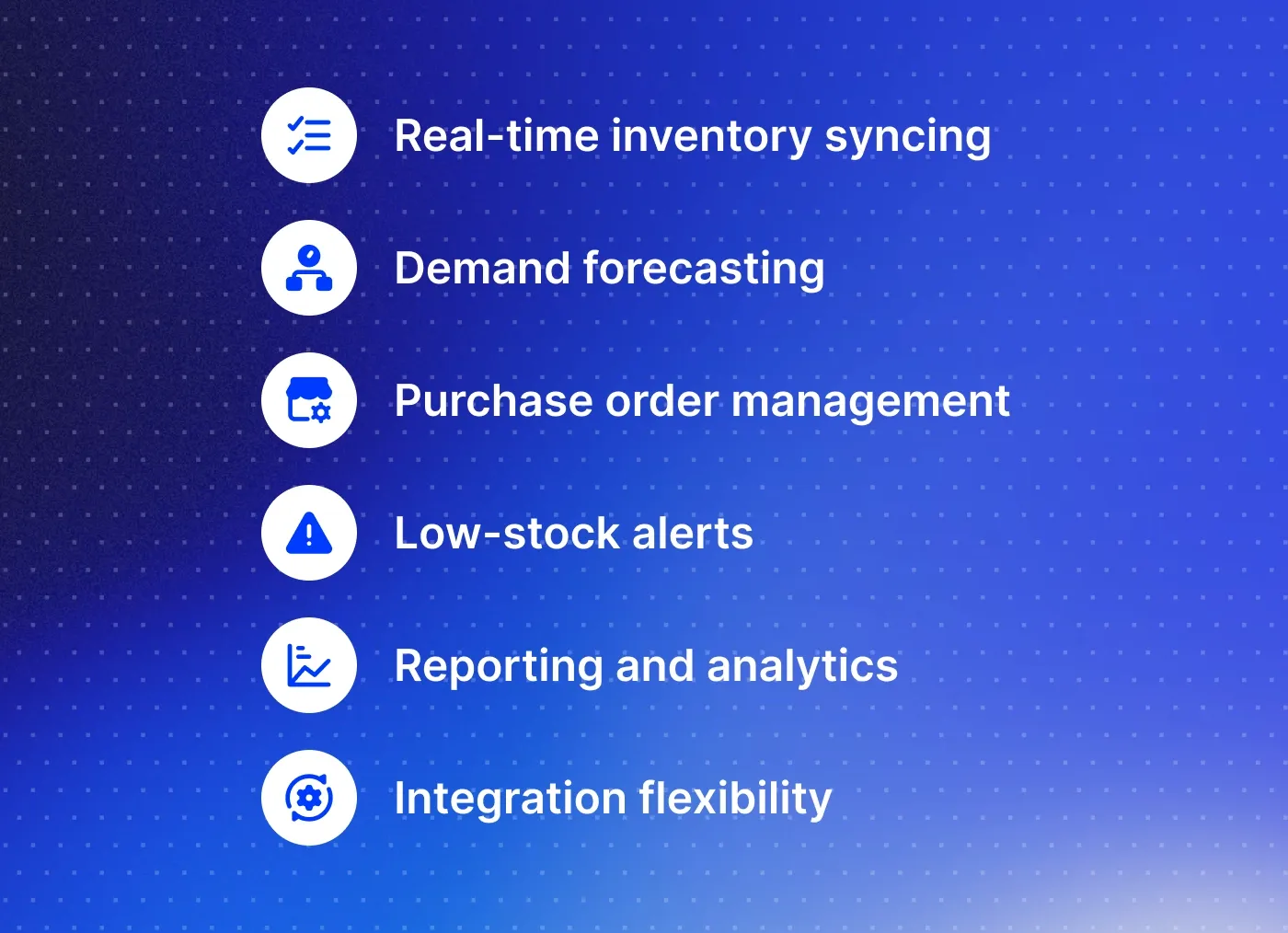
When choosing the best inventory management software for Shopify, pay attention to the particularities of your processes. But even with that, there are some must-have features to seek:
Real-time inventory syncing. Without this, you're either manually updating everywhere or apologizing to frustrated customers for orders you can’t fulfill.
Demand forecasting. It eliminates the guessing when to restock and having data tell you exactly what to order and when. This becomes critical as your catalog grows.
Purchase order management. Instead of emailing suppliers with handwritten lists or filling in the spreadsheets, you manage and track everything directly in the app.
Low-stock alerts. Set thresholds for each product, and the app notifies you when it's time to reorder. Some apps even automate the entire reordering process.
Reporting and analytics. You need data on turnover rates, slow-moving products, and the most profitable items to make smart decisions about the SKUs.
Integration flexibility. The more seamlessly the app integrates with tools you already use, the less manual work you're creating for yourself.
You may also need barcode scanning functionality, BOM management, and multi-location support for warehouses. What you don't need to obsess over is fancy dashboards and complex features you'll never use.
Pro tip: Focus on features that solve your specific problems right now, with room to grow into more advanced capabilities as needed.
Integrate Shopify apps with DigitalSuits
Getting a Shopify inventory management app installed is one thing. Making it actually work for your business is another. The gap between installing the app and using its full potential is where merchants tend to hit friction. DigitalSuits bridges that gap.
We handle the technical setup, custom configurations, and Shopify integrations. In other words, we turn a new app into a functioning part of your workflow in minimal time. Our Shopify developers guides you through the entire process – from helping choose the best Shopify inventory management tool to testing and customization if needed.
And in case you have highly specific and complex requirements and none of the existing off-the-shelf apps seems to cover your needs, we can develop a custom Shopify app to simplify inventory operations for your online store.
If you are ready to get an inventory management system that enhances your daily operations and scales alongside your growth without requiring constant attention, contact our team, and let's discuss your needs.
Frequently asked questions
Do inventory apps work with Shopify POS for retail locations?
Some lighter inventory apps focus exclusively on online channels and don't handle POS at all. Most major apps integrate with Shopify POS. However, the depth of integration varies significantly.
How do these apps manage pre-orders and made-to-order items?
Most inventory apps let you set negative inventory thresholds or create separate inventory policies for these items. Hence, they don't trigger out-of-stock alerts. Some apps are designed for manufacturing workflows and can track component inventory separately from finished goods. Others treat pre-orders as a separate category entirely.
Can inventory apps track expiration dates for perishable products?
Apps designed for food, cosmetics, pharmaceuticals, and other perishable goods include lot tracking and expiration date management as core features. Standard inventory apps usually don't include these features. The best inventory management strategy for Shopify is to consider details like these during the app analysis.
Do I need to pause my store while migrating to a new inventory app?
You don't need to shut down your store during migration. However, you should expect a transition period during which you'll run both systems simultaneously. The typical approach is to install the new app, import your inventory data, and run it in parallel for at least a few days to verify that everything syncs correctly.

Written by
Kateryna Sukhova
Content Marketing Manager
Kateryna brings over 7 years of experience writing well-researched, compelling B2B content that bridges business goals with real audience needs - without losing clarity or personality.













Was this helpful?
0
No comments yet