











The Shopify changelog brought a wide range of changes this month, from new product launches to practical platform updates. Some of these Shopify March 2026 updates will simply expand what merchants can do, while others may shape more immediate decisions for developers, retail teams, and store owners. Here's the quick look:
ShopifyGym. Test your storefront with AI before real customers see it
Improved visual hierarchy for line items in orders and returns
New in Shopify March 2026 updates
The new additions in March span some of the most practical parts of the Shopify ecosystem, from theme testing and in-store setup to international selling and automation.
Shopify SimGym. Test your storefront with AI before real customers see it

SimGym is the first Shopify-native tool that uses AI-powered shoppers with human-like profiles to simulate how real buyers would move through your store. It lets merchants validate a theme's conversion performance before going live without risking real customer experience. This is the most notable launch of the month. You select an unpublished theme, run it against your current live theme, and get a detailed report that covers:
Navigation and product discovery behavior
Add-to-cart flow and friction points
Directional performance indicators for key conversion actions
A clear recommendation on which theme performs better The result is a data-backed theme comparison without touching your live store. SimGym is now available to all eligible merchants through the Shopify App Store.
Shopify POS Hub. Wired connectivity for checkout hardware
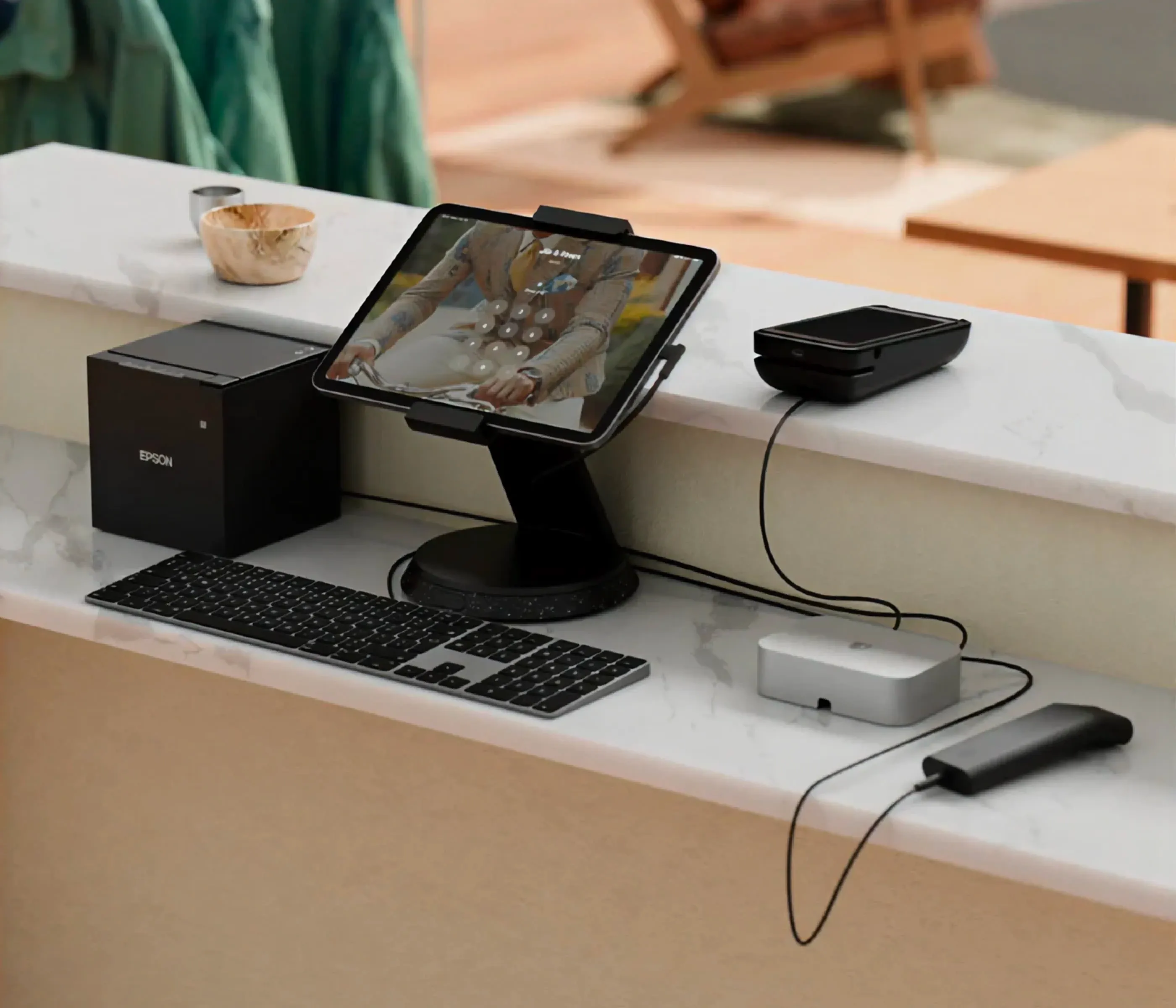
The POS Hub is a simple wired solution that replaces unreliable Bluetooth connections with stable USB links between your tablet (iPad or Android) and checkout hardware. Anyone running a busy retail floor knows the frustration - a card reader disconnects, a printer stops responding, and suddenly your checkout is the problem. POS Hub eliminates that entirely by connecting your tablet to all checkout peripherals through wired USB.
Here's what it brings to the table:
Stable, wired connections. No more dropped peripherals mid-shift. Card readers, printers, scanners, and cash drawers stay connected and ready throughout the day
Built for Shopify POS and Apple-certified. The device actively monitors your connected hardware and surfaces real-time status and alerts inside the POS. MFi certification keeps multi-device setups on iPad running without issues
Straightforward to get running. Setup is guided directly inside Shopify POS — plug in, connect your hardware, and you're done. Day-to-day maintenance is minimal by design.
POS Hub is now generally available in the Shopify Hardware Store, with units already on their way to everyone who pre-ordered.
Adaptive pricing for managed markets
International pricing has always involved significant manual guesswork. Managed Markets now includes adaptive pricing, which automatically calculates what international customers should pay by factoring in:
Currency conversion using a stabilized weekly exchange rate
Duties and import taxes are built directly into the product price
Managed Markets and FX fees
Smart rounding to keep prices looking natural in every market
Customers see localized prices at checkout with no surprise charges. Your domestic payout stays consistent. The admin includes a payout breakdown modal on order details so you can trace exactly how each number was derived. Available now for Managed Markets merchants on Shopify Payments. Merchants who joined before October 14, 2025, get access from March 26, 2026.
Customize checkout and customer accounts by market
Advanced and Plus merchants can now adjust settings, branding, and blocks for specific markets directly in the checkout and accounts editor. Pick a market, make your changes, and those updates apply only to buyers in that region, whether you're targeting a particular country or a B2B audience.
Marketing automations are moving
As of March 24, 2026, the location of your marketing automations under Marketing > Automations has changed:
Automations using Shopify Messaging emails have moved to the Shopify Messaging app
Automations with marketing activities from other apps are now in Shopify Flow No action needed - all automations continue to run as before. This is a structural reorganization, not a functionality change.
Flow. New actions for markets and blog articles
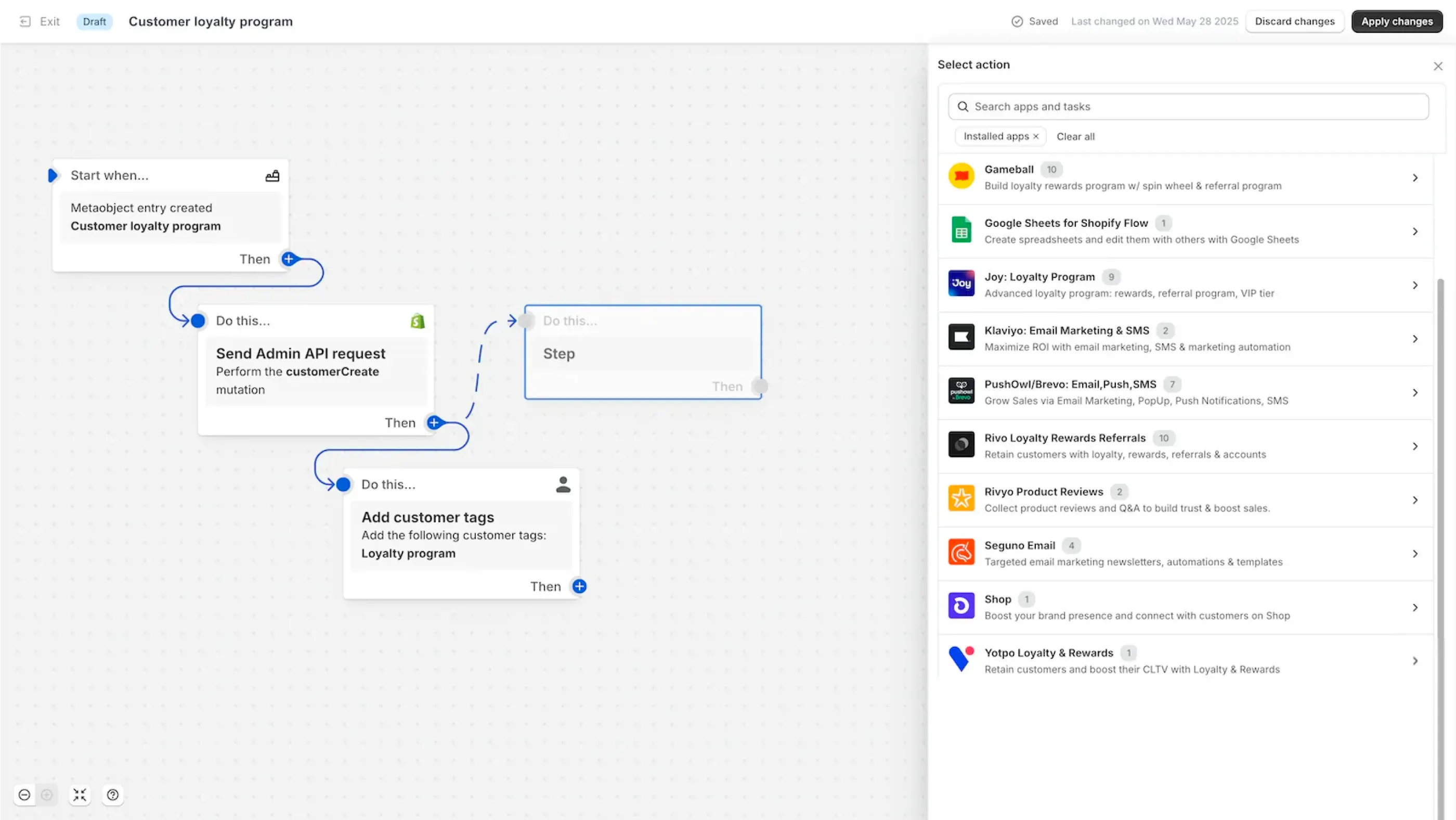
Two new data-fetching actions are now available in Shopify Flow:
Get market data - pull market configurations into your workflows
Get article data - fetch blog content for use in automated logic
Feature additions to existing functionality
These changes expand what existing Shopify features offer, with practical updates for everyday store operations.
Shipping in a quick sale
You can now add shipping to any quick sale cart. The delivery address can be entered by you or your buyer at checkout, and they cover the shipping cost. The order lands in your Orders tab, ready to ship.
It's particularly handy for:
Selling to customers before your store is live
Replying to DMs with a direct payment link
Shipping custom orders without needing a full catalog
Payment links now support shipping too. Build a cart, add shipping, and share the link anywhere - text, email, Instagram DM, WhatsApp. Here's how the flow works:
- Add products to your quick sale cart
- Choose "Add shipping" from the menu
- Share the payment link
- You or your buyer enters the delivery address at checkout
- Ship directly from your Orders tab
Available wherever Quick Sale is supported. Requires the Shopify mobile app.
Customize theme settings and app embeds per market
Merchants can now customize theme settings and app embeds on a per-market basis, rather than being locked into one global configuration. Through the Online Store Editor, you can tailor colors, typography, app embeds, custom CSS, and more for each market or rollout independently. Available for all merchants on plans that support market customizations for themes.
Issuer memos now visible on dispute pages
When a chargeback is filed, the cardholder's bank sends a memo explaining why. Those memos are now visible and downloadable on the dispute details page in Shopify admin. If you've ever had to respond to a chargeback blind without knowing what reasoning the bank provided, this changes that entirely.
Improvements worth knowing about
This part of the changelog is mostly about usability, with improvements that make routine tasks quicker and more straightforward.
Faster discount entry in POS
Applying discounts is one of the most frequent actions at checkout, so any slowdown there has a real impact. The discount management flow in Shopify POS has been updated to help staff find and apply the right discount quickly, without holding up the line. Promo codes, percentage discounts, and all of it are quicker to reach and faster to enter.
Here's what changed:
Responsive number pad: Entering custom discount amounts or percentages is now smoother and more accurate
Recently used codes front and center: Commonly applied codes are surfaced automatically, so staff aren't searching for the same code twice
Simplified checkout flow: Fewer steps between opening the discount menu and completing the transaction
Make sure you're on version 11.2 of the Shopify POS app to get these updates.
Easier smart grid setup for discount tiles
Creating Discount tiles in the Smart Grid editor no longer requires typing codes by hand. A dropdown now lets you pick directly from your existing discount codes. It eliminates the risk of typos, mismatched values, and tiles that fail at the register. Every tile is tied to a verified discount code from your admin, meaning the right rules, eligibility, and amounts kick in automatically at checkout.
Head to Shopify admin > Point of Sale > Settings > Configure > POS app to add or update your Discount tiles.
Address autocomplete and validation for US, AU, CA, NL, FR
Shopify has upgraded address autocomplete and validation for five countries - the United States, Australia, Canada, the Netherlands, and France. These systems are now fully Shopify-powered, which brings:
More consistent checkout UX across regions
Better accuracy at the point of address entry
Fewer failed deliveries caused by malformed addresses
Track discount performance with UTM parameters
Shareable discount links can now be connected to an existing marketing campaign at the point of creation. Once a campaign is selected, its UTM identifier and source are automatically appended to the link. Performance tracking for your discount promotions flows straight into your marketing campaign reports.
Find the option under Promote > Get a shareable link on your saved discount code page.
Track app activity and permissions from settings
A new view under Settings > Apps now shows:
Admin API activity per app over the last 30 days, broken down by store area
Data privacy details - which apps have access to sensitive or personal customer data
App history - when staff have granted or updated permissions
Useful for both routine security reviews and understanding what's actively touching your store data.
In-store pickup can now transfer from multiple locations
The pickup flow has been updated to move faster on both sides of the counter. The Shop app now includes order preparation status, pickup instructions, and a QR code. Customers will know when their order is ready without having to check in, and staff can retrieve it without digging through manual lookups. Less waiting, less back-and-forth.
Here's what changed:
Order status and pickup instructions in Shop: Buyers can track exactly when their order is ready for collection, straight from the app
Scannable QR codes: Staff can scan the QR code in POS to bring up the order instantly, skipping the manual search entirely
Better location details: Retail address and pickup instructions are surfaced in Shop so customers show up at the right place without confusion
Improved visual hierarchy for line items in orders and returns
A streamlined line item design has been released for orders and returns in admin. The update brings a consistent layout, clearer pricing and fee details, and a cleaner display of item information.
Key changes include:
Consistent layout across all relevant pages. Line item information follows the same structure throughout, making visual scanning faster
Grouped pricing in the price column. Discount details are available on hover or tap, keeping the default view clean
Collapsible metadata footer. Line item metadata has moved to a footer row that remembers your display preference across pages
Changes and deprecations to act on
These are the updates to pay closer attention to, since they affect existing setups, naming, or technical implementation.
Shopify scripts are going away - the deadline is close
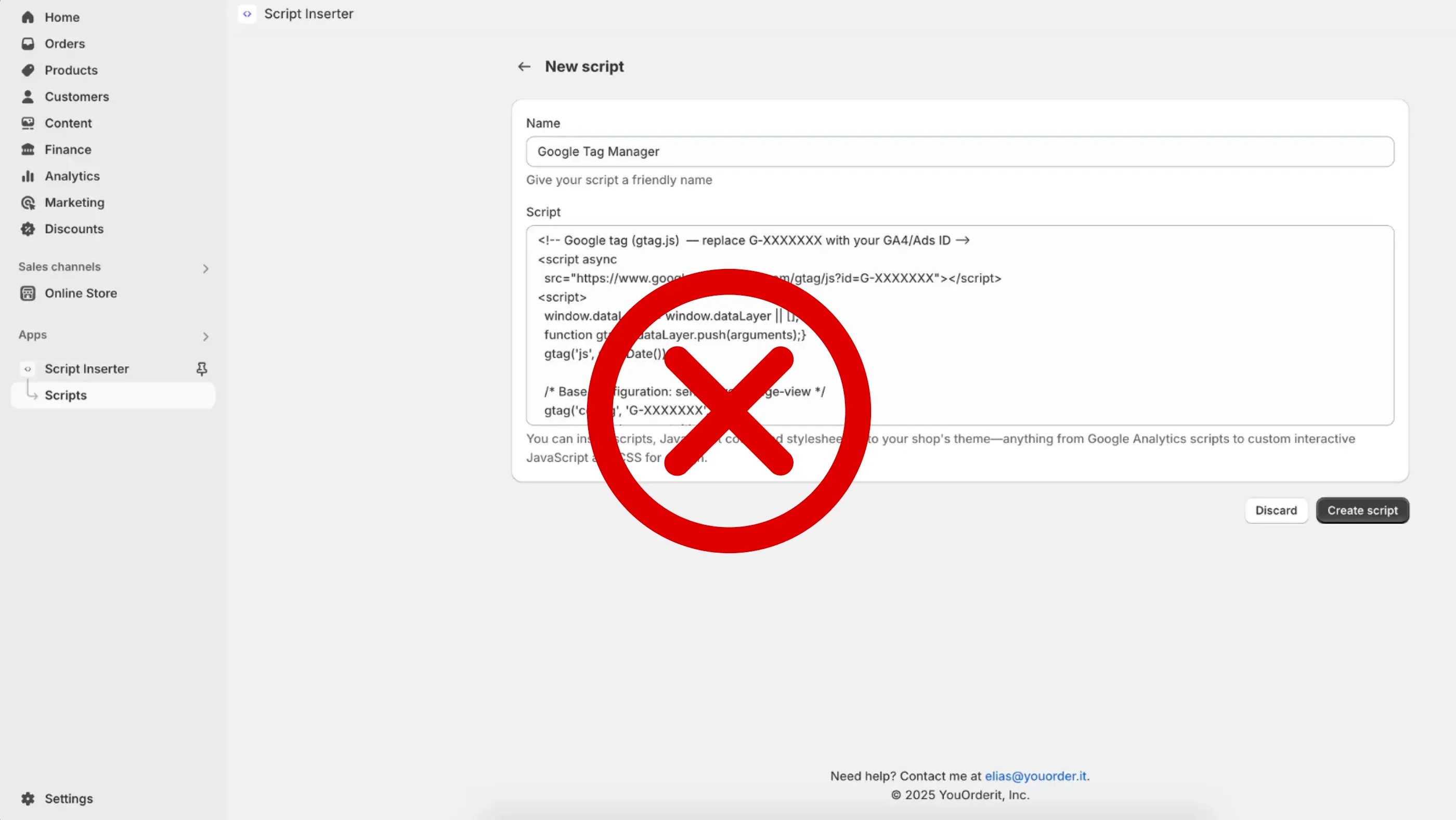
Starting April 15, 2026, Shopify Scripts can no longer be edited or published. All existing Scripts will continue to run until June 30, 2026, after which they will stop executing completely. Shopify Functions lets developers customize Shopify’s backend logic with more control. It supports tailored commerce rules for discounts, shipping, payments, and other key parts of the storefront experience.
It continues to expand with new capabilities across discounts, shipping, and payments. Shopify Functions cover the areas where Scripts have traditionally been used, so custom logic can still be built to fit your specific business needs.
To plan your migration, the Shopify Scripts customizations report helps identify which of your current customizations can be replaced with Shopify Functions or existing public apps. Scripts will keep working until the deprecation date, but migration sooner rather than later is strongly recommended.
You can find more details about this in our dedicated article "Scripts to Functions migration" and in the Shopify official documentation.
Returns metrics renamed to "Sales reversals"
Some Returns fields in analytics now carry updated names - Sales reversals and Reversed quantity. Nothing about the data itself has changed. These fields continue tracking the same order adjustments they always have, including refunds, returns, edits, and cancellations. The new labels simply do a better job of describing their actual scope.
Here's how the two sets of metrics differ:
Sales reversals/Reversed quantity. Accounts for every type of order adjustment, refunds, returns, edits, and cancellations all roll up here
Quantity returned/Return line item reason. Focused purely on physical items coming back, with return reasons now captured at the individual line item level
The numbers haven't moved, this is purely a naming and labeling update to make the distinction between order adjustments and actual returns clearer.
Storefront filter URLs now use stable identifiers
Starting March 16, 2026, storefront filter URLs use stable group identifiers instead of text values when filtering by a filter group. Previously, filtering by a product option like "Color" produced a URL like this:
yourstore.com/collections/all?filter.v.option.color=Blue
These URLs now use a stable group identifier instead:
yourstore.com/collections/all?filter.v.option.color=gid://shopify/FilterSettingGroup/123
Stable identifiers make filter links more reliable across languages and when filter labels are renamed, bringing text-based filters in line with how all other filter types already work. All previously created storefront filter URLs will continue to work as expected.
Need help implementing these updates?
If you need assistance with implementing new Shopify features or optimizing your store for international markets, don't hesitate to contact the DigitalSuits team. We're a certified Shopify Plus Partner with deep expertise in Shopify web development, and we work with merchants across different industries to build, optimize, and grow their stores. Whether you need help configuring market-specific Shopify checkout customizations, setting up POS Hub, or planning your Scripts migration, our team is ready to help.

Written by
Yurii Zablotskyi
Content Marketing Specialist
Yurii Zablotskyi is a passionate content writer and storyteller with a strong marketing background, focusing on marketing, sales, and technology, turning complex ideas into valuable content.








Was this helpful?
0
No comments yet